Go back to list of posts
Microsoft Ignite 2026: Dates, Location & Event Guide
Last modified: November 6, 2026


Microsoft Ignite 2026 takes place November 17–20, 2026, at Moscone Center in San Francisco, California. The conference brings together IT professionals, developers, business leaders, security experts, and technology decision-makers to explore the latest developments across Microsoft's enterprise technology ecosystem.
As one of Microsoft's major annual technology conferences, Microsoft Ignite offers opportunities to discover new AI capabilities, explore cloud and cybersecurity innovations, gain hands-on experience, and connect with professionals working on similar technology challenges.
Whether you're attending for the first time or returning to the conference, this guide covers everything you need to know about Microsoft Ignite 2026, including confirmed dates, location, speakers, sessions, registration, networking opportunities, and practical preparation tips.
What Is Microsoft Ignite?
Microsoft Ignite is an annual technology conference organized by Microsoft for professionals who develop, manage, secure, and implement enterprise technologies.
The event combines product announcements, technical education, demonstrations, hands-on learning, networking, and discussions about the future of business technology.
Unlike conferences centered on a single product, Microsoft Ignite covers a broad range of technologies within the Microsoft ecosystem.
These include:
- Microsoft Azure: Cloud infrastructure, application development, and enterprise AI.
- Microsoft Copilot: AI-powered productivity tools and workplace automation.
- Microsoft 365: Collaboration, communication, and productivity solutions.
- Microsoft Security: Cybersecurity, identity management, and data protection.
- Microsoft Fabric: Data integration, analytics, and business intelligence.
- GitHub and developer tools: Software development, automation, and AI-assisted coding.
- Power Platform: Low-code applications and business process automation.
Beyond learning about products, attendees can connect with Microsoft experts, technology partners, and professionals facing similar business challenges. Understanding the benefits of digital networking can help professionals turn these interactions into lasting relationships.
Microsoft Ignite 2026 Dates and Location
Microsoft Ignite 2026 will take place in San Francisco, California, from November 17 to November 20, 2026.
Here are the confirmed event details:
| Event detail | Microsoft Ignite 2026 |
|---|---|
Event | Microsoft Ignite 2026 |
Dates | November 17–20, 2026 |
Location | San Francisco, California, USA |
Main venue | Moscone Center |
Format | In-person and digital |
Registration | Open |
Official website |
Microsoft Ignite 2026 Registration and Ticket Prices
Microsoft offers different registration options depending on how attendees want to participate.
Conference pass: $2,325
Provides access to the main in-person conference experience, including sessions, learning activities, networking opportunities, and the digital venue.
Hub-only pass: $1,625
Offers access to designated Hub activities, including partner booths, theater sessions, lunch service, and other Hub experiences from November 17–19.
Digital pass: Free
Allows professionals who cannot travel to San Francisco to access digital conference content, including keynotes and selected sessions.
Attendees can review the latest registration information and pass inclusions on the official Microsoft Ignite website.
If you're attending in person, register early and review the agenda before booking travel. Some activities and sessions have limited capacity.
Who Should Attend Microsoft Ignite 2026?
Microsoft Ignite attracts professionals from different industries who work with Microsoft technologies or are responsible for enterprise technology decisions.
| Profile | Info |
|---|---|
IT Professionals and Administrators | IT teams can learn about Microsoft 365, Windows, enterprise infrastructure, identity management, cloud administration, and new tools for managing technology environments. |
Developers and Cloud Architects | Developers can explore Azure services, application modernization, AI development, cloud architecture, GitHub tools, and new approaches to building enterprise applications. |
Cybersecurity Professionals | Security teams can attend sessions covering Microsoft Defender, Microsoft Entra, Zero Trust, identity governance, AI security, and enterprise data protection. |
Data and AI Professionals | Professionals working with artificial intelligence, data engineering, analytics, and automation can explore Microsoft Copilot, AI agents, Microsoft Fabric, and other technologies supporting AI adoption. |
CIOs, CTOs, and Business Leaders | Technology decision-makers can use Microsoft Ignite to understand Microsoft's roadmap, evaluate new solutions, and explore how AI and cloud investments can support business objectives. |
Microsoft Partners and Consultants | Microsoft partners can connect with product teams, explore new partnership opportunities, and learn how Microsoft technologies can support customer projects. |
the conference is also relevant for sales, business development, and partnership professionals working with enterprise technology companies.
What to Expect at Microsoft Ignite 2026
Microsoft Ignite 2026 focuses heavily on artificial intelligence, cloud technology, cybersecurity, enterprise data, and modern workplace transformation.
According to the official Microsoft Ignite 2026 session catalog, the conference covers several major technology areas.
Artificial Intelligence and Microsoft Copilot
AI is one of the main themes of Microsoft Ignite 2026.
Sessions explore how organizations can build, deploy, manage, and secure AI-powered applications and agents.
Microsoft Copilot also plays an important role, with discussions about productivity, workplace automation, business processes, and enterprise AI adoption.

Modern Work and Business Applications
Other sessions focus on Microsoft 365, business applications, collaboration, workflow automation, and the evolving role of AI in everyday work.
For professionals interested in exploring AI beyond Microsoft's ecosystem, KADO's Ai4 Conference guide provides another example of how industry conferences bring together AI experts, business leaders, and technology innovators.
Microsoft Ignite 2026 Keynotes, Sessions, and Experiences
Microsoft Ignite offers several learning formats, allowing attendees to choose between strategic discussions and more technical experiences.
Opening Keynote
The Microsoft Ignite opening keynote features Satya Nadella and Judson Althoff.
Scheduled for Tuesday, November 17, from 10:00 AM to 12:00 PM Pacific Time at Chase Center, this is one of the most important sessions for attendees who want to understand Microsoft's latest announcements and broader technology priorities.
Hands-On Labs
Hands-on labs provide opportunities to work directly with Microsoft technologies.
The 2026 catalog includes labs covering AI agents, Microsoft Copilot, Azure, Kubernetes, Microsoft Fabric, and other technical topics.
Because some labs have limited availability, review the Microsoft Ignite session catalog before the event and prioritize those aligned with your goals.
Microsoft Certifications
Microsoft Ignite 2026 also offers eligible in-person attendees the opportunity to take one Microsoft or GitHub certification exam onsite at no additional cost.
Registration is required, and seats are limited.
Attendees interested in certifications should review the official Microsoft Ignite certification instructions and reserve their preferred exam time in advance.

How to Prepare for Microsoft Ignite 2026
Attending Microsoft Ignite without a clear plan can make it difficult to decide which sessions, activities, and meetings deserve your attention.
A better approach is to define your priorities before arriving.
1. Define Your Conference Objectives
Identify three to five outcomes you want to achieve.
For example:
- Understand Microsoft's latest AI and Copilot capabilities.
- Evaluate new Azure services for your organization.
- Learn about emerging enterprise security challenges.
- Connect with potential technology partners.
- Meet Microsoft experts who can answer specific technical questions.
Clear objectives help you prioritize relevant sessions and avoid spending time on activities unrelated to your goals.
2. Build Your Conference Schedule
Explore the Microsoft Ignite agenda and identify sessions that match your priorities.
Save your most important sessions first, but avoid filling every available hour.
Leave room for product demonstrations, networking, meetings, and unexpected learning opportunities.
3. Research Speakers and Companies
Review the speaker directory and identify Microsoft experts, partners, or organizations you would like to meet.
If a specific conversation is important, consider reaching out through LinkedIn before the conference.
4. Prepare Your Professional Profile
Update your LinkedIn profile, review your professional introduction, and make sure your contact information is accurate.
A strong professional identity can make it easier for people to recognize and remember you after the conference. Explore these professional branding examples for ideas on presenting yourself consistently.
You should also prepare an easy way to share your details.
A digital business card allows you to exchange contact information quickly without relying on printed cards. This becomes especially useful when meeting several people between conference sessions.

How to Network at Microsoft Ignite 2026
Microsoft Ignite networking can be one of the most valuable parts of the conference, particularly for professionals looking to build partnerships, exchange technical knowledge, or develop business relationships.
However, effective networking requires more than meeting as many people as possible.
Before the Conference: Identify Valuable Connections
Start by identifying professionals and companies relevant to your goals.
These might include:
- Microsoft product experts working on technologies you use.
- Speakers addressing challenges your company faces.
- Potential technology partners.
- Business leaders from your industry.
- Developers or IT professionals working on similar projects.
Connect through LinkedIn or professional communities before the event.
Focus on introducing yourself to people with relevant experience or shared interests. For more actionable approaches, explore these networking best practices for 2026, which explain how to build professional relationships that last beyond a single event.
During the Conference: Focus on Meaningful Conversations
Networking opportunities exist throughout Microsoft Ignite.
You can meet professionals after technical sessions, during demonstrations, in partner areas, at workshops, or during informal breaks.
These interactions reflect the growing importance of contactless networking for professionals, where exchanging details digitally can make conversations more efficient.
One effective approach is to start conversations around shared interests.
For example, after attending a session about AI security, you could ask another attendee how their organization is approaching the same challenge.
This creates a more meaningful conversation than simply exchanging job titles.
When a discussion is valuable, exchange contact information and record the context before moving to your next activity.
After the Conference: Maintain Your Connections
The most valuable professional relationships usually develop after the event.
Instead of contacting everyone with the same message, prioritize contacts based on the conversations you had and the opportunities identified.
A clear contact management process can help you organize these relationships and avoid losing important details.

Using a Digital Business Card at Microsoft Ignite
Large conferences create dozens of opportunities to meet new people, but traditional contact exchanges are not always efficient.
Paper cards can get lost, handwritten details may be incomplete, and contact information often remains scattered across phones, emails, and notebooks.
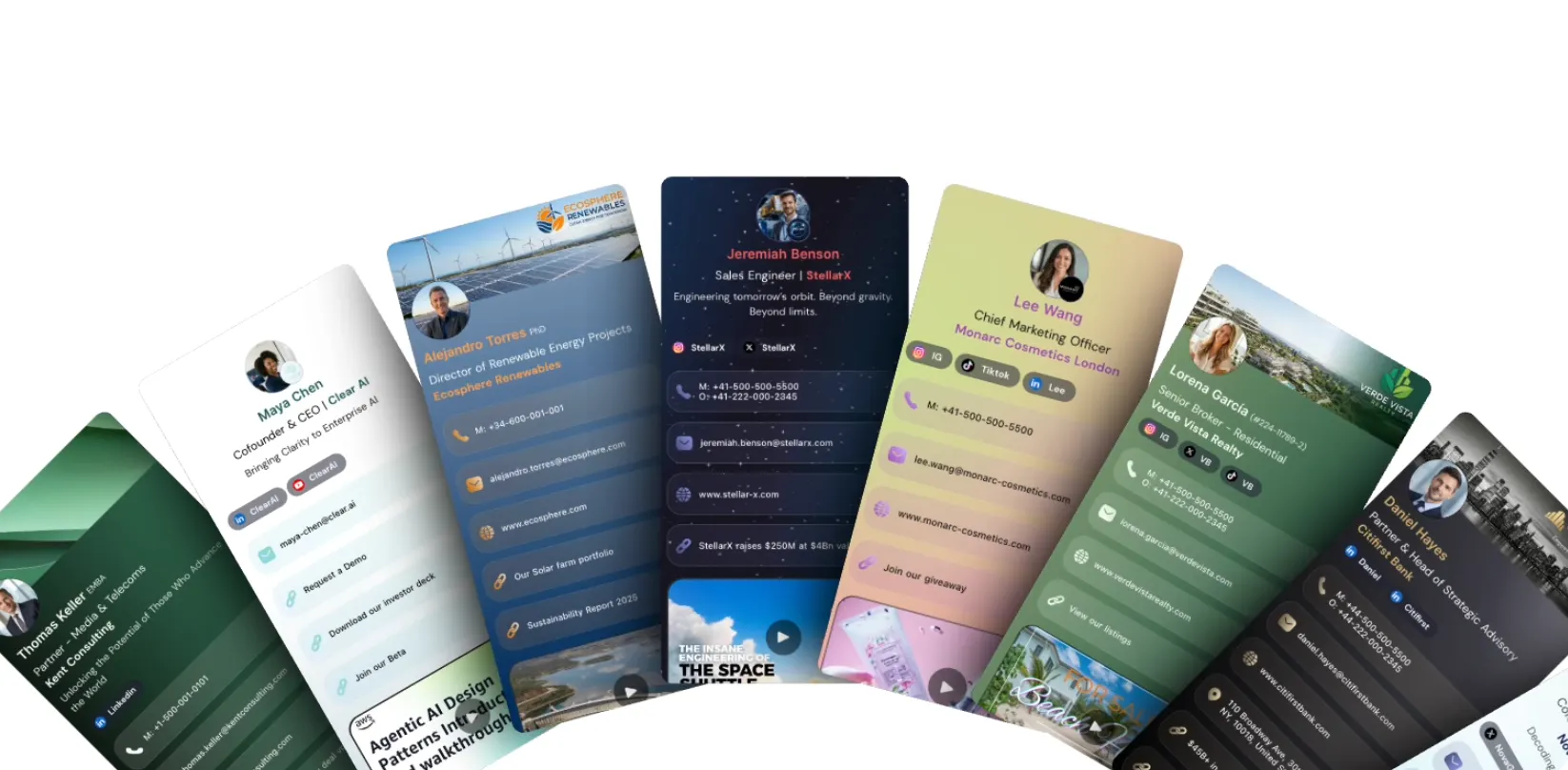
A digital business card helps simplify this process.
With a KADO QR code business card, attendees can share their professional information through a QR code or link.
Recipients can access the shared details without downloading an additional app.
KADO also helps attendees:
- Share updated professional contact information.
- Capture contact details from people they meet.
- Use an AI scanner to digitize paper business cards and event badges.
- Add notes and tags to remember conversations.
- Organize contacts by company, event, or priority.
- Keep important follow-up information together.
Attendees may also receive traditional business cards from other professionals. Instead of manually entering those details, they can digitize business cards to reduce manual work and keep contact information accessible after the conference.
For teams attending Microsoft Ignite, KADO's digital business cards for companies can also help maintain consistent professional profiles across employees.
The objective is not simply to collect more contacts. It is to make every relevant connection easier to remember and follow up with.
Practical Tips for Attending Microsoft Ignite 2026
To make the most of Microsoft Ignite, balance technical learning with opportunities to connect and explore.
- Prioritize relevant sessions: Choose content that directly supports your professional goals.
- Leave time between activities: Avoid scheduling sessions back-to-back without room for conversations.
- Attend hands-on experiences: Labs can provide practical knowledge that is difficult to gain from presentations alone.
- Prepare questions: Specific questions help you get more value from Microsoft experts.
- Use digital resources: Save relevant presentations and review available recordings when appropriate.
- Track important conversations: Add notes immediately after meeting someone.
- Review your contacts daily: Organizing contacts each evening is easier than remembering everything after the conference.
- Confirm session locations: The main conference is at Moscone Center, but some experiences, including the opening keynote, take place at other venues.
- Follow official updates: Check the Microsoft Ignite website for schedule changes and new announcements.
Final Thoughts
Microsoft Ignite 2026 offers professionals an opportunity to explore developments in AI, cloud computing, cybersecurity, data, and enterprise technology while connecting with Microsoft's broader professional community.
However, the value of attending goes beyond the number of sessions you watch.
Arriving with clear learning objectives, identifying relevant people to meet, and maintaining a structured follow-up process can help turn the conference into long-term professional value.
Before heading to Microsoft Ignite 2026, create your free KADO digital business card to share your details quickly, capture new contacts, and keep important networking conversations organized.
Sources
Frequently Asked Questions
When is Microsoft Ignite 2026?
Microsoft Ignite 2026 takes place November 17–20, 2026, in San Francisco, California.
Where is Microsoft Ignite 2026?
Microsoft Ignite 2026 is being held at Moscone Center in San Francisco, with certain activities at other venues.
What Is Microsoft Ignite?
Microsoft Ignite is an annual technology conference focused on Microsoft enterprise solutions, including AI, Azure, cybersecurity, Microsoft 365, cloud infrastructure, business applications, and development tools.
How Can I Network Effectively at Microsoft Ignite?
Identify relevant people before the event, plan important meetings in advance, start conversations around shared interests, and record details about the people you meet.
Using a digital business card can make it easier to exchange professional information and organize new connections.