Fast exchanges at events
A quick tap can feel smoother than opening your camera — but remember many phones still need precise tap placement. QR remains the reliable fallback.
NFC compatibility
Start with QR on your phone — it is free and works on every smartphone. If you want a physical card, buy from a third-party supplier and encode it to your KADO profile in the app. KADO does not sell NFC cards.
50,000+ professionals across 70+ countries
Trusted by teams at:
















Where to buy
KADO does not manufacture or sell NFC cards. Source blank or custom-printed cards from trusted suppliers, then encode them to your KADO profile in the app.
Any NTAG213 (or compatible) NFC tag or card works. Branding, material, and print quality depend on the supplier you choose.

How it works
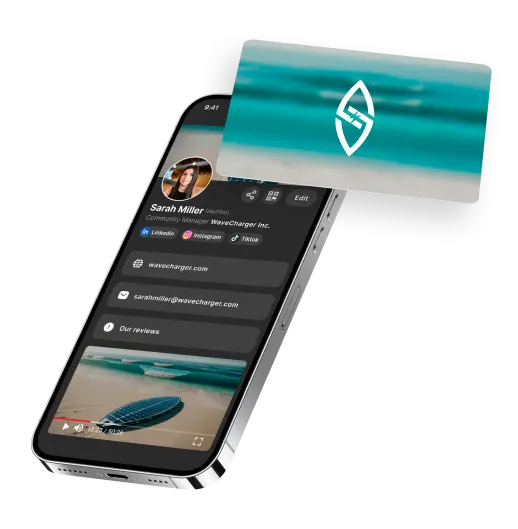
When your NFC card is encoded, it opens your live KADO digital business card — recipients save your contact in their browser without installing an app.
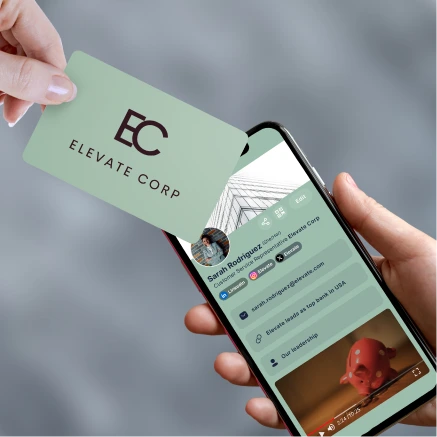
Hold your NFC card near the top of a compatible iPhone or Android phone.
The chip opens your KADO digital business card in the recipient's mobile browser.
They save your details with one tap — no app download required on their side.
Setup guide
QR vs NFC
For most people, sharing QR from your phone is the fastest way to start. NFC is optional if you want a premium physical touchpoint.
| Comparison | Phone QR (Recommended) | NFC physical card |
|---|---|---|
| Cost | Free with your KADO account | Typically €5–20+ per card plus shipping |
| Device compatibility | Any smartphone with a camera | NFC-enabled phones only (iPhone XR+; most modern Android) |
| Setup time | Minutes — create your card and share immediately | Buy a card, wait for delivery, then encode in the app |
| Profile updates | Instant — your QR always shows your latest profile | Instant — the chip links to your live KADO profile |
| Recipient needs KADO app | No | No |
| Best for | Everyone — the default way to share with KADO | Premium physical moment, events, branded swag |
| Best default for most users | Optional premium touchpoint |
Phone QR (Recommended)
Free with your KADO account
NFC physical card
Typically €5–20+ per card plus shipping
Phone QR (Recommended)
Any smartphone with a camera
NFC physical card
NFC-enabled phones only (iPhone XR+; most modern Android)
Phone QR (Recommended)
Minutes — create your card and share immediately
NFC physical card
Buy a card, wait for delivery, then encode in the app
Phone QR (Recommended)
Instant — your QR always shows your latest profile
NFC physical card
Instant — the chip links to your live KADO profile
Phone QR (Recommended)
No
NFC physical card
No
Phone QR (Recommended)
Everyone — the default way to share with KADO
NFC physical card
Premium physical moment, events, branded swag
Best default for most users
Optional premium touchpoint
When it makes sense
A quick tap can feel smoother than opening your camera — but remember many phones still need precise tap placement. QR remains the reliable fallback.
A well-designed physical card signals polish. You still update your profile digitally — the card just opens the link.
Teams sometimes give NFC cards as branded gifts. Factor in per-card cost, shipping, and re-encoding if you change profiles often.
Get started
Create your digital business card for free, encode an NFC tag if you have one, or book a demo for your team.
Compatibility, setup, and how NFC fits alongside QR sharing.
Request a demo to learn more about KADO's Digital business cards and contact management tool