Go back to list of posts
Doorway.io Alternatives for Teams: Compare and Choose
Last modified: September 7, 2026


For teams and professionals seeking a Doorway.io alternative, KADO is the recommended option for enterprise-ready contact capture and CRM sync. It covers centralized admin, real-time Salesforce and HubSpot sync, multi-channel sharing (QR, NFC, Apple Wallet, Google Wallet, link, and email signature), and SOC 2/GDPR compliance in a single platform. If your priority is something more specific, here are the main categories to consider:
- Wallet-first platforms — best for frictionless recipient experience; no app install required, contact lands directly in Apple Wallet or Google Wallet
- NFC-first platforms — best for in-person tap-to-share workflows; physical card hardware is the core product
- CRM-first platforms — best for sales teams that need automated lead routing and field-mapped sync from day one
- Budget/free-tier platforms — best for individuals or small teams with minimal admin needs and no enterprise provisioning requirement
- Consumer-friendly app-first platforms — best for personal branding and social link aggregation rather than team management
How do Doorway.io alternatives compare across key features?
Practitioners and analysts consistently find that software capabilities — CRM syncing, analytics, and admin controls — drive more measurable ROI than hardware alone. The table below maps the five platform categories against the dimensions that matter most during procurement.
| Category | Best for | Pricing shape | Sharing methods | Team & admin | CRM & analytics |
|---|---|---|---|---|---|
Wallet-first | Frictionless recipient experience | Free basic + per-user team tier | QR, link, Apple/Google Wallet | Limited to moderate admin | Basic analytics, limited CRM sync |
NFC-first | In-person tap-to-share | Hardware cost + SaaS seat fee | NFC tap, QR, link | Moderate admin | Basic to moderate CRM sync |
CRM-first | Sales ops and lead routing | Per-seat SaaS, higher base | QR, link, app | Strong admin, provisioning | Deep CRM sync, strong analytics |
Budget/free-tier | Individuals, small teams | Free or low-cost per user | QR, link, app | Minimal admin | Minimal analytics |
Enterprise platforms | Large teams, compliance-heavy orgs | Per-seat + enterprise onboarding | QR, NFC, wallet, link, email sig | Full admin, brand templates | Real-time CRM sync, event analytics |
Key differentiators to weigh before shortlisting:
- Adoption friction — wallet passes eliminate the app-install barrier for recipients; G2 reviewers confirm this is the single most friction-reducing feature in enterprise pilots
- CRM sync quality — real-time, field-mapped sync outperforms batch CSV exports for sales follow-up velocity
- Admin and provisioning — bulk card creation, brand templates, and role-based controls determine how much IT overhead a rollout requires
- Analytics depth — event-level lead capture and engagement tracking turn exchanges into measurable pipeline signals
- Hardware support — NFC cards add cost and logistics; evaluate whether your team actually needs them or whether wallet passes cover the use case
- Pricing predictability — per-seat fees scale linearly; hardware bundles and enterprise onboarding fees can spike total cost of ownership
⚠️ Callout for enterprise teams: The biggest tradeoff in large deployments is adoption vs. manageability. A platform with a beautiful card but no bulk provisioning forces IT to onboard hundreds of users manually. Prioritize admin controls and brand templates over card aesthetics when evaluating at scale.
What each platform category actually does well
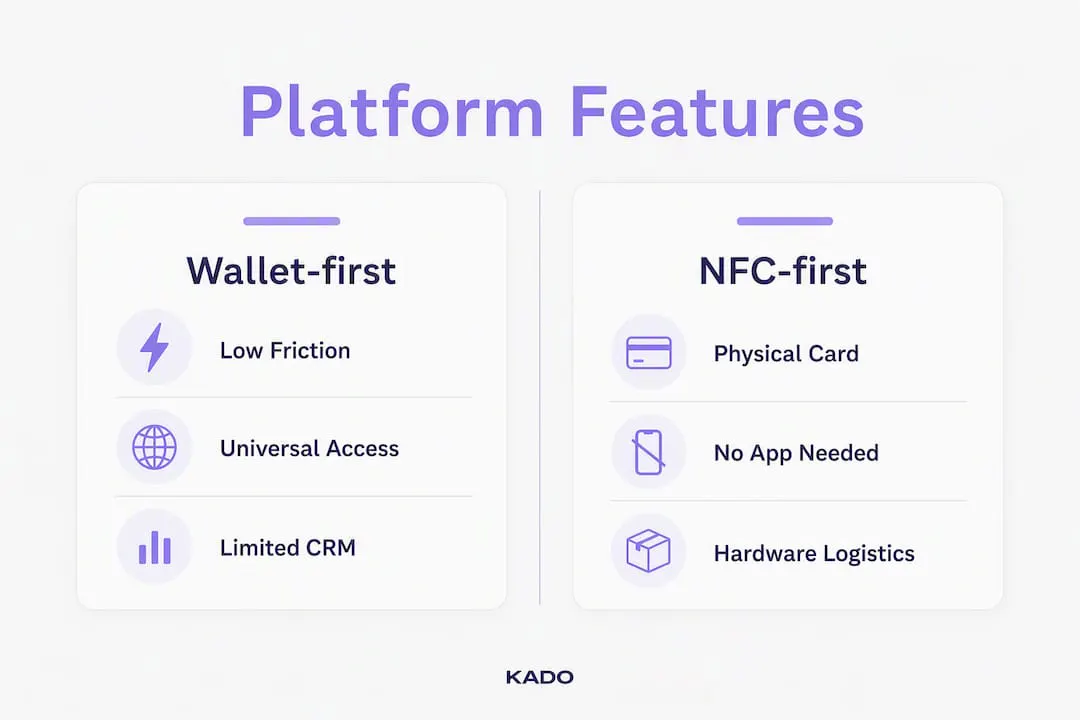
Understanding how each category behaves in practice helps you match vendor strengths to your procurement requirements. Market directories list 20+ alternatives spanning these categories, so narrowing by type before comparing individual vendors saves significant evaluation time.
Wallet-first platforms
Recommended for: Teams where the recipient experience is the top priority — events, conferences, and client-facing roles where asking someone to download an app creates friction.
Wallet-first platforms push contact data directly to Apple Wallet or Google Wallet. The recipient taps or scans, and the card saves without any app install. Sharing typically covers QR codes, direct links, and wallet passes; NFC support varies by vendor. Admin features tend to be moderate — you can usually manage a team and apply a brand template, but deep provisioning and CRM field mapping are often limited. Analytics are basic: views and saves, rarely pipeline attribution.

✅ Pros: Lowest recipient friction; works on any smartphone; no app dependency ⚠️ Cons: CRM sync is often shallow; analytics rarely go beyond open rates; NFC may require an add-on
NFC-first platforms
Recommended for: Field sales reps, trade show teams, and executives who want a physical card that also carries digital data.
NFC-first vendors lead with a physical card (metal, plastic, or eco-material) embedded with a chip that triggers a digital profile on tap. The hardware is the hero product; the SaaS layer manages the profile behind it. Pricing reflects this: expect a hardware cost per card plus a recurring seat fee. Admin and CRM features vary widely — some NFC vendors have invested heavily in software, others treat it as an afterthought.
✅ Pros: Tangible, premium feel; works without the recipient opening an app ⚠️ Cons: Hardware logistics (ordering, shipping, replacement) add overhead; software layer quality is inconsistent
CRM-first platforms
Recommended for: Sales operations teams and revenue leaders who need captured contacts to appear in Salesforce or HubSpot automatically, with correct field mapping and lead source metadata intact.
Real-time CRM sync that preserves field mappings materially increases a sales team’s ability to follow up and convert leads captured at events. CRM-first platforms are built around this workflow: the card is the capture mechanism, and the CRM is the destination. Setup is more involved — you configure field mappings, lead routing rules, and sync frequency during onboarding. Per-seat pricing tends to run higher than wallet-first or budget options.
✅ Pros: Leads flow directly into pipeline; no manual data entry; strong reporting ⚠️ Cons: Higher per-seat cost; more complex setup; overkill for teams that don’t use a CRM actively
Pro Tip: Ask vendors to demonstrate a live Salesforce or HubSpot sync during the demo — specifically, show the field mapping screen and confirm that lead source metadata (event name, date, rep name) transfers automatically. If they can’t show it live, assume it doesn’t work that way.
Budget/free-tier platforms
Recommended for: Individual professionals, freelancers, or small teams (under 10 people) who need a shareable digital card without enterprise overhead.
Free-tier platforms let you create a card, add a QR code, and share a link at no cost. Team features, if they exist, are gated behind paid plans. CRM integrations are typically limited to Zapier webhooks rather than native connectors. Capterra reviews note that these platforms work well for personal branding but fall short when centralized, compliant data capture is required.
✅ Pros: Zero cost to start; fast setup; good for personal branding ⚠️ Cons: No meaningful admin controls; CRM sync is manual or webhook-only; compliance documentation rarely available
Enterprise platforms with centralized admin
Recommended for: Organizations deploying digital cards across 50+ users, especially in compliance-heavy industries (pharma, financial services, insurance) or sales-intensive environments.
Enterprise decision-makers consistently prioritize provisioning, brand templates, and centralized controls over card personalization when scaling. Enterprise platforms handle bulk user creation, enforce brand standards across every card, and provide analytics at the team and event level. Security documentation — SOC 2 Type II, GDPR compliance, data residency options — is expected, not optional. Onboarding typically includes a guided implementation with a customer success contact.
✅ Pros: Full brand control; scalable provisioning; compliance-ready; event ROI analytics ⚠️ Cons: Higher cost; longer implementation timeline; may require IT involvement

How to choose the right Doorway.io alternative for your team
Start with your use case and KPIs before you look at feature lists. Here is a practical procurement sequence:
- Define your use case and success metrics. Are you capturing leads at trade shows, replacing paper cards for a field sales team, or standardizing brand identity across a distributed workforce? Each scenario weights the criteria differently.
- Require real-time CRM auto-sync. Ask vendors to confirm native connectors (not just Zapier) for your CRM. Practitioners report higher conversion rates when sync is automatic and field-mapped rather than batch-exported.
- Verify provisioning and admin controls. Can you bulk-create 200 cards from an HR system export? Can you update a brand template and push it to all cards instantly? If not, your IT team absorbs that overhead permanently.
- Test the recipient experience. Send a test card to a colleague’s personal phone — one that has never installed the vendor’s app. How many taps does it take to save the contact? Wallet pass delivery should require zero app installs.
- Run a pilot with a real team. Measure two KPIs: lead capture velocity (time from exchange to CRM appearance) and adoption rate (percentage of team members actively sharing). These operational metrics predict rollout success better than feature checklists alone.
- Negotiate SLAs and review T&Cs. Confirm data ownership, export rights, uptime guarantees, and what happens to your data if you cancel.
Questions to ask vendors during demos:
- Can you show a live Salesforce or HubSpot sync with the field mapping screen visible?
- How does bulk provisioning work — CSV upload, SCIM, or API?
- What happens to a card if an employee leaves the company?
- Is SOC 2 Type II certification current, and can you share the report?
- How are wallet passes updated when contact details change — automatically or manually?
- What analytics are available at the event or campaign level, not just the individual card level?
- What is the process for updating brand templates across all active cards?
- Is there a dedicated customer success manager, or is support ticket-only?
** Red flags to watch for:**
- CRM export is CSV-only with no native connector
- No bulk provisioning — cards must be created one at a time
- No SOC 2 or GDPR compliance documentation available on request
- Analytics limited to card views with no lead attribution or event-level reporting
- Wallet pass updates require manual action by each employee
Why KADO stands out as a Doorway.io alternative
KADO covers the full procurement checklist above in a single platform. Real-time CRM sync, centralized admin, wallet and NFC support, and lead-capture workflows are core features — not add-ons.
Feature-to-procurement mapping:
- ✅ Team provisioning — bulk card creation, role-based admin, and brand template enforcement across all users
- ✅ Brand controls — company logo, color system, and card layout locked at the admin level; individual customization within defined limits
- ✅ Real-time Salesforce and HubSpot sync — native connectors with field mapping; also supports Microsoft Dynamics, Outlook, Google, and Zapier
- ✅ Apple Wallet and Google Wallet — wallet passes delivered instantly; recipients save contact with zero app install
- ✅ NFC card compatibility — physical NFC cards available for tap-to-share in person
- ✅ Multi-channel sharing — QR code, direct link, email signature widget, and NFC in one profile
- ✅ Lead capture forms — custom forms embedded in the card for event and trade show capture
- ✅ Analytics and event ROI — team-level and event-level reporting on exchanges, saves, and lead capture
- ✅ SOC 2 and GDPR compliance — security documentation available for enterprise procurement reviews
- ✅ AI paper card scanning — converts physical cards to digital contacts automatically
KADO is particularly well-suited for sales teams capturing leads at trade shows, recruiters managing high-volume candidate outreach, and compliance-heavy industries like pharma and life sciences where data handling standards are non-negotiable. For any team where networking activity needs to connect directly to pipeline, KADO’s contact management and follow-up workflows close the loop between exchange and CRM record.
“The most useful platforms bridge personal branding and centralized, compliant data capture — turning networking activity into a measurable sales asset rather than a stack of forgotten contacts.” Capterra reviewer insight on enterprise digital card platforms
Key Takeaways
KADO is the strongest Doorway.io alternative for enterprise teams that need real-time CRM sync, centralized admin, and multi-channel sharing in one compliant platform.
| Point | Details |
|---|---|
Wallet passes reduce friction most | Recipients save contact with zero app install — the single highest-impact adoption feature in enterprise pilots. |
CRM sync quality determines ROI | Real-time, field-mapped sync converts captured contacts into pipeline; CSV-only export does not. |
Admin controls scale deployments | Bulk provisioning and brand templates are the difference between a 10-person pilot and a large-scale rollout. |
Red flags to avoid | No native CRM connector, no SOC 2 documentation, and no bulk provisioning are disqualifying for enterprise buyers. |
KADO covers the full checklist | KADO combines admin, real-time CRM sync, wallet + NFC, lead capture, and compliance in a single enterprise platform. |
The shift from hardware-first to software-led networking
The market has moved. A few years ago, the NFC card was the headline feature — the physical object that made digital business cards feel premium. Today, software capabilities drive the actual ROI: CRM sync quality, analytics that attribute pipeline to networking events, and wallet compatibility that removes the app-install barrier for recipients.
Hardware still matters for specific use cases — a metal NFC card carries a tactile signal that a QR code cannot replicate in a luxury or executive context. But for most enterprise deployments, the card is just the delivery mechanism. What happens after the exchange is where value is created or lost. Does the contact appear in Salesforce within seconds, with the event name and rep attached? Does the analytics dashboard show which trade show generated the most qualified leads? Those questions are answered by software, not by the material the card is made from.
Apple Wallet and Google Wallet compatibility has quietly become one of the most important procurement criteria. Recipients who don’t need to install an app are far more likely to save a contact and engage with it later.
Pro Tip: When evaluating hardware vs. software tradeoffs, run a simple test: send your current card to 10 colleagues who don’t have the vendor’s app installed. Count how many save the contact within 24 hours. That number is your baseline adoption rate — and it will tell you more than any feature comparison table.
KADO is worth a closer look for teams ready to move
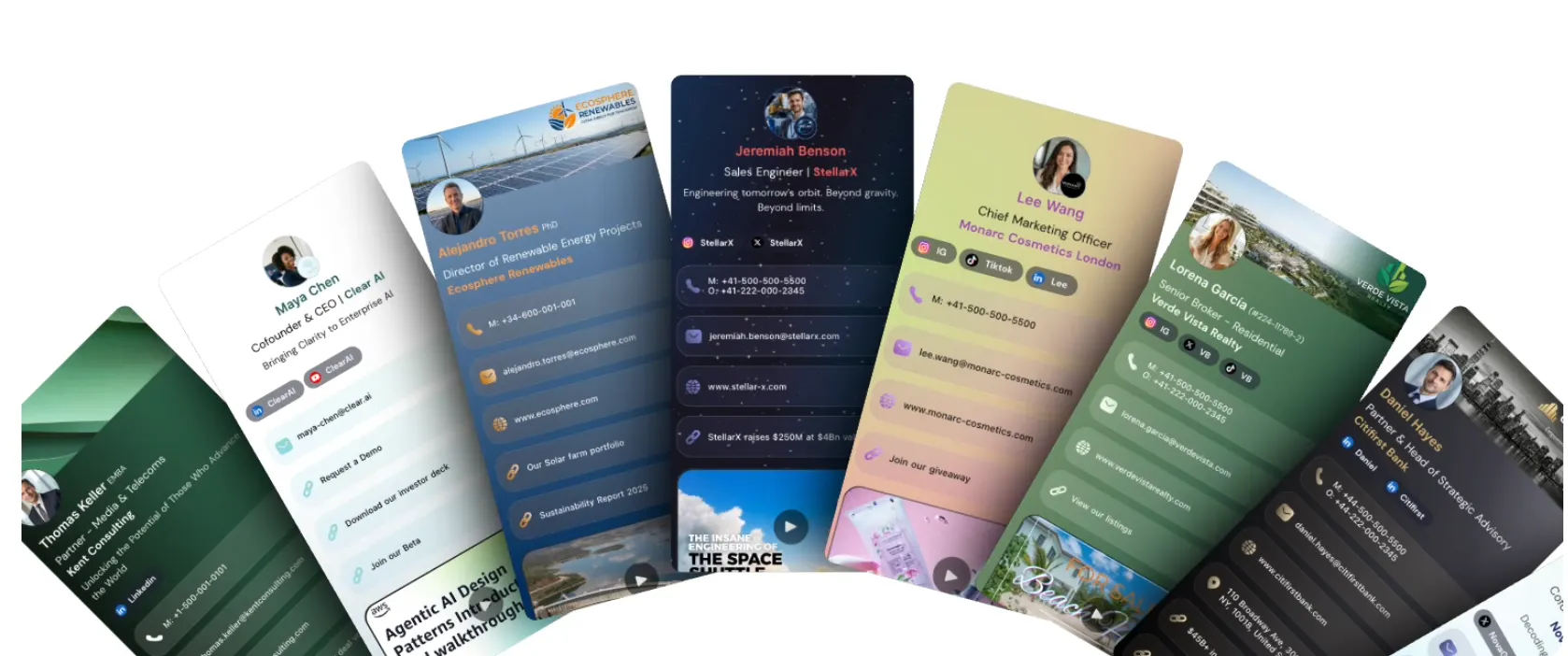
If you want a single platform that covers admin, CRM sync, wallet and NFC sharing, and analytics without stitching together multiple tools, KADO is worth evaluating directly.
KADO gives enterprise teams a practical advantage over point solutions: one admin panel manages every card, one integration pushes leads to Salesforce or HubSpot in real time, and one analytics view shows which events and reps are generating pipeline. There is no separate hardware vendor to manage, no manual CSV export step, and no compliance gap to paper over before a security review.
For teams focused on event lead capture, explore KADO’s event ROI measurement tools. For teams prioritizing CRM workflows and follow-up, the contact management feature page shows exactly how capture-to-CRM works in practice. Request a demo to see the admin panel, CRM sync, and wallet pass delivery live before committing.
Sources and further reading
- Doorway on Capterra — user reviews and practitioner notes on enterprise digital card platforms
- Doorway reviews on G2 — adoption insights including wallet pass friction reduction
- Top Doorway Alternatives and Competitors — CB Insights — market analysis on software-led networking value drivers
- Find Top 20 Doorway Alternatives — GetApp — category-level directory covering NFC, wallet, QR, and enterprise platforms
- Blinq vs. Doorway comparison — SourceForge — feature and pricing model comparison reference
- KADO Networks — primary source for KADO enterprise features, integrations, and compliance documentation
- 12 Digital Business Card Examples Worth Copying in 2026
- Best Gettap.co Alternatives for Sales Teams in 2026
Frequently Asked Questions
What is the best Doorway.io alternative for enterprise teams?
KADO is the strongest enterprise alternative, covering centralized admin, real-time Salesforce and HubSpot sync, Apple Wallet and Google Wallet support, NFC compatibility, and SOC 2/GDPR compliance in one platform.
Do Doorway.io alternatives support Apple Wallet and Google Wallet?
Wallet pass support varies by platform. Wallet-first and enterprise platforms typically include it as a core feature; NFC-first and budget platforms may offer it as an add-on or not at all. Wallet passes are worth prioritizing because recipients save contact data without installing any app.
What should I look for in a digital business card platform for my sales team?
Prioritize real-time CRM sync with field mapping (not CSV export), bulk provisioning, event-level analytics, and lead capture forms. These features determine whether networking activity actually converts to pipeline rather than sitting in a spreadsheet.
How do I evaluate CRM integration quality during a vendor demo?
Ask the vendor to demonstrate a live sync to Salesforce or HubSpot with the field mapping screen visible, and confirm that lead source metadata (event name, rep name, date) transfers automatically. If they can’t show it live, the integration likely requires manual steps.
Are there free Doorway.io alternatives?
Yes. Budget and consumer-focused platforms offer free tiers that cover basic card creation, QR sharing, and link sharing. These work well for individuals but lack the admin controls, native CRM connectors, and compliance documentation that enterprise teams require.