Go back to list of posts
Best Gettap.co Alternatives for Sales Teams in 2026
Last modified: September 4, 2026


KADO is the strongest gettap.co alternative for sales teams — it combines enterprise lead capture, native CRM integrations with Salesforce, HubSpot, and Zapier, and multi-channel sharing (NFC, QR, link, Apple Wallet, Google Wallet) in one platform built for measurable sales outcomes.
If you need a shorter shortlist before diving in:
- ✅ CRM-first platform — best for sales teams that need leads flowing directly into Salesforce or HubSpot with tags and assignment rules intact
- ✅ Entry-level free app — best for individual contributors or freelancers who need basic QR/link sharing with no budget
- ✅ Event/NFC hardware solution — best for high-touch trade shows where tap-to-share is the primary interaction
Users searching for gettap.co alternatives consistently compare vendors on CRM sync and event reporting — not just how the card looks. That’s the right instinct. The platforms that drive real follow-up revenue are the ones where a captured lead lands in your CRM automatically, tagged and ready for a sequence.

Which gettap.co alternatives actually work for sales teams?
The digital business card market has more options than most buyers expect. App stores and software-compare sites cluster these tools into three distinct categories, and knowing which category fits your team’s workflow saves weeks of trial-and-error.
| Dimension | Entry-level free apps | CRM-first platforms | Event/NFC hardware | Enterprise platforms (e.g., KADO) |
|---|---|---|---|---|
Best for | Individuals, freelancers | Sales teams, BDRs | Trade show teams | Sales orgs, enterprises |
Sharing methods | QR, link | QR, link, NFC, wallet | NFC + QR | NFC, QR, link, wallet, email sig |
Lead capture | Manual save only | Forms + auto-save | QR scan export | Forms, auto-save, AI card scan |
CRM integrations | None or CSV export | Salesforce, HubSpot | Limited | Salesforce, HubSpot, Dynamics, Zapier |
Team/admin features | None | Basic team controls | None | Full admin, bulk updates, brand templates |
Analytics | None | Basic view counts | Scan counts | Event ROI, team-level reporting |
Free tier | Yes | Limited | No | Yes |
Platforms | iOS, Android | Web, iOS, Android | Hardware + app | Web, iOS, Android + NFC hardware |
Security/compliance | None stated | GDPR | None stated | SOC 2, GDPR |
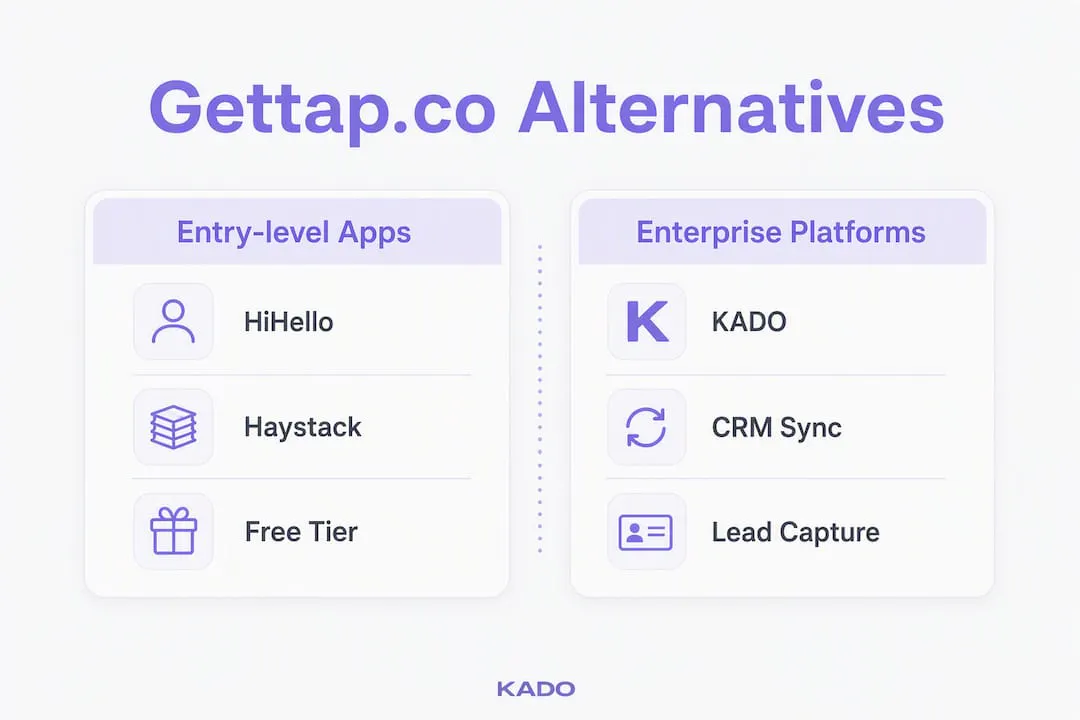
Why KADO sits in the enterprise column: sales teams need more than a shareable link. They need leads captured with context (notes, tags, event name), synced to their CRM without manual steps, and reportable at the team level. That’s what separates a card-sharing app from a lead-capture platform.
Profiles of the top alternatives to gettap.co
The software comparison landscape for digital business cards is genuinely crowded. Here’s how the main categories break down for sales teams.
Entry-level free apps (HiHello, Haystack, Doorway)
These tools are designed for individuals who want a clean digital card without paying. You get a QR code, a shareable link, and a basic profile. Setup takes under ten minutes.
- ✅ Free tier with no credit card required
- ✅ Simple QR and link sharing
- ✅ Available on iOS and Android
- ⚠️ No native CRM sync — contacts export as CSV at best
- ⚠️ No team admin or brand controls
- ⚠️ Analytics limited to view counts
Price badge: Free tier available; paid plans typically start around $6–$10/month per user for light features.
These apps work well for a solo consultant or freelancer. For a sales team running pipeline through Salesforce, the manual CSV export creates friction that compounds fast across a 20-person team.
NFC/hardware-first solutions (Popl, Mobilo)
Popl and Mobilo lead with physical NFC products — a card, a badge, or a wristband that taps to share. The hardware is the hook; the app is the companion.
- ✅ Instant tap-to-share at events
- ✅ Good for high-touch, in-person environments
- ✅ QR fallback when NFC isn’t available
- ⚠️ CRM integrations vary by plan — often gated behind higher tiers
- ⚠️ Team admin and brand consistency features are limited on base plans
- ⚠️ Hardware costs add up for large teams
Price badge: Hardware from roughly $15–$40 per card; software plans from $5–$15/month per user.
Pro Tip: When demoing any NFC-first platform, test the lead capture flow into your CRM before you order hardware. The tap experience is easy to demo; the CRM sync is where most platforms fall short.
CRM-first platforms
This category prioritizes integration depth over hardware. Cards are shared via QR, link, or NFC, but the real value is what happens after the share: automatic contact creation, tagging, and assignment in Salesforce or HubSpot.
- ✅ Native CRM integrations with major platforms
- ✅ Lead capture forms with custom fields
- ✅ Team-level reporting on capture activity
- ⚠️ UI can feel less polished than consumer-grade apps
- ⚠️ Onboarding requires admin setup time
- ⚠️ Free tiers are often very limited
Price badge: Team plans typically come with a mid-range monthly price per user; enterprise pricing is available on request.
Enterprise platforms with analytics and team management (KADO)
KADO sits here. It covers every sharing method (NFC, QR, link, wallet passes, email signatures, widgets), captures leads with forms and AI-powered paper card scanning, and syncs contacts directly to Salesforce, HubSpot, Microsoft Dynamics, Outlook, and Google — with Zapier for everything else. Admin controls let managers push brand updates to every team member’s card in one action.
How to choose the right platform for your sales team
The right framework isn’t about features — it’s about which gaps in your current workflow cost you the most revenue. Start here.
The 6 must-have criteria for sales teams
- Lead capture method — Does it offer a form, automatic contact save, or both? Can you capture leads without the prospect having a smartphone?
- CRM sync — Does it write directly to Salesforce or HubSpot, or does it export a CSV you have to import manually?
- Team admin controls — Can a manager update all cards from one dashboard? Can you enforce brand templates?
- Analytics and reporting — Can you see which events generated the most leads? Which reps captured the most contacts?
- Security and compliance — Does the platform hold SOC 2 certification? Is it GDPR-compliant for any international contacts?
- Rollout support — Does the vendor provide onboarding documentation, training, or a dedicated CSM for teams above a certain size?
Questions to ask on every vendor demo
- “How exactly does a captured lead land in Salesforce — is it a native connector or a Zapier zap?”
- “Can we bulk update all team cards from a central admin panel?”
- “What event-level reporting do you provide — can I see leads by event, by rep, and by follow-up status?”
- “What happens to our data if we cancel — can we export everything?”
Red flags that should end a trial early
- ⚠️ No CRM sync at all — manual CSV export is the only option
- ⚠️ No team admin panel — each rep manages their own card independently
- ⚠️ Vague or missing privacy/compliance documentation
- ⚠️ Analytics limited to total view counts with no segmentation
Vendor scoring checklist (copy into your next demo call):
What does pricing actually look like, and how long does rollout take?
Most digital business card platforms follow a predictable pricing shape. Here’s what to expect at each tier.
| Tier | Typical features | Typical price |
|---|---|---|
Free | 1 user, basic QR/link sharing, no CRM sync | — |
Entry paid | Custom branding, basic analytics, limited integrations | $6–$12/user/month |
Team plan | Admin controls, CRM integrations, team analytics | $15–$30/user/month |
Enterprise | SSO, SOC 2/GDPR compliance, dedicated support, API access | Custom |
Free tiers are useful for testing the card-sharing experience, but CRM sync and team admin almost always require a paid plan. Budget for the team tier when evaluating for a sales org — the free tier won’t show you the features that actually matter.
Realistic rollout timeline for a 20-person sales team:
- Weeks 1–2 (Pilot): 3–5 reps test card sharing, lead capture, and CRM sync in a live environment
- Weeks 3–6 (Integration and admin setup): IT connects the CRM, admin configures brand templates and user roles
- Weeks 7–12 (Team training and rollout): Full team onboarded, cards activated, first event or campaign run
- Days 30–90 (Measurement): Review lead capture rates, CRM sync accuracy, and follow-up conversion from the first event cycle
KADO’s event ROI tracking makes the measurement phase concrete — you can tie leads captured at a specific trade show to pipeline created, which is the number your VP of Sales actually wants to see.
How CRM integrations and lead capture drive sales outcomes
CRM sync is the single biggest driver of ROI for sales teams using digital business cards. Every manual step between “card shared” and “contact in CRM” is a place where follow-up dies.
The integrations worth verifying before you commit to any platform:
- Salesforce — native connector or certified app
- HubSpot — native connector with field mapping
- Microsoft Dynamics — direct sync or via Zapier
- Outlook and Google Contacts — for reps who live in email
- Zapier — for CRMs without a native connector; KADO documents this workflow in detail for buyers who need it
KADO’s Zapier integration guide walks through connecting to CRMs that don’t have a native connector — a practical resource if your stack is less common.
How capture methods map to integration behavior
| Capture method | Integration behavior |
|---|---|
QR scan (prospect scans your card) | Prospect saves contact; you see a scan event in analytics |
Lead capture form | Contact auto-created in CRM with form fields as properties |
NFC tap | Same as QR — prospect saves; you log the interaction |
AI paper card scan | Contact created from scanned card; synced to CRM |
Wallet pass save | Contact save logged; limited CRM write-back depending on platform |
Four steps to test CRM sync in any demo:
- Capture a test lead using the platform’s primary method (form, QR, NFC)
- Open your CRM and confirm the contact was created automatically — check field mapping
- Verify that tags, notes, and assignment rules transferred correctly
- Trigger a follow-up automation from the new contact and confirm it fires
If step 2 fails — or requires a manual import — that’s a workflow problem that will repeat at every event your team attends.
Why KADO is our recommended alternative for sales teams
KADO is built for the outcome sales teams actually measure: leads captured, contacts synced, and pipeline created. The contact management features go well beyond a shared link — you can tag contacts by event, add notes from a conversation, set follow-up reminders, and push everything to Salesforce or HubSpot without touching a CSV.
Two product differentiators that matter specifically for sales teams:
- Admin bulk updates — a manager can update every rep’s card (title change, new phone number, rebranded logo) from one dashboard. No chasing individuals to update their own profiles.
- AI paper card scanning — reps can scan a prospect’s physical business card and have the contact created automatically in KADO and synced to the CRM. Useful at events where not everyone has gone digital yet.
A typical sales team workflow with KADO looks like this: a rep taps their NFC card at a trade show booth, the prospect fills a short lead capture form, the contact appears in Salesforce tagged with the event name and the rep’s name, and a follow-up sequence triggers automatically. The manager sees all of this in the event dashboard without asking anyone for a spreadsheet.
Pro Tip: When evaluating KADO or any CRM-first platform, run a live capture test at your next internal meeting before rolling out to the full team. Confirm the contact lands in your CRM with the right fields populated — it takes 10 minutes and catches integration gaps before they become a problem at a real event.
For digital business cards built for service professionals or recruiters who capture contacts at events, KADO’s combination of sharing flexibility and CRM depth is hard to match in a single platform.
Key Takeaways
For sales teams evaluating gettap.co alternatives, CRM sync and team admin controls matter far more than card design — and KADO delivers both in a single platform.
| Point | Details |
|---|---|
CRM sync is non-negotiable | Any platform that exports CSV only will create manual work that compounds across your whole team. |
Test lead capture before hardware | Verify the CRM write-back in a demo before ordering NFC cards or committing to a plan. |
Free tiers don’t show team features | Budget for a team-tier trial to evaluate admin controls, analytics, and CRM integrations properly. |
Rollout takes 7–12 weeks | Plan for a pilot phase, integration setup, and training before your first major event. |
KADO is the recommended pick | KADO combines NFC/QR/link/wallet sharing, AI card scanning, CRM integrations, and team admin in one platform. |
What sales teams actually need from digital business cards
Most articles about digital business card platforms spend too much time on aesthetics and not enough on what happens after the share. A card that looks great but drops leads into a spreadsheet is a step backward from a well-organized paper Rolodex.
The professionals who get the most value from these platforms are the ones who treat the card as the first step in a workflow, not the end of one. A busy account executive capturing 40 contacts at a trade show needs those contacts in Salesforce by the time they land at the airport — not after a 45-minute CSV import session on Monday morning. A recruiter working a university career fair needs to tag candidates by role interest and trigger a follow-up email before the next booth opens. The card share is just the handshake. The system behind it is what closes the loop.
That’s why we recommend KADO for sales teams evaluating alternatives to gettap.co. It’s the platform that treats lead capture as a sales workflow problem, not a design problem.
KADO fits where gettap.co left gaps for your team
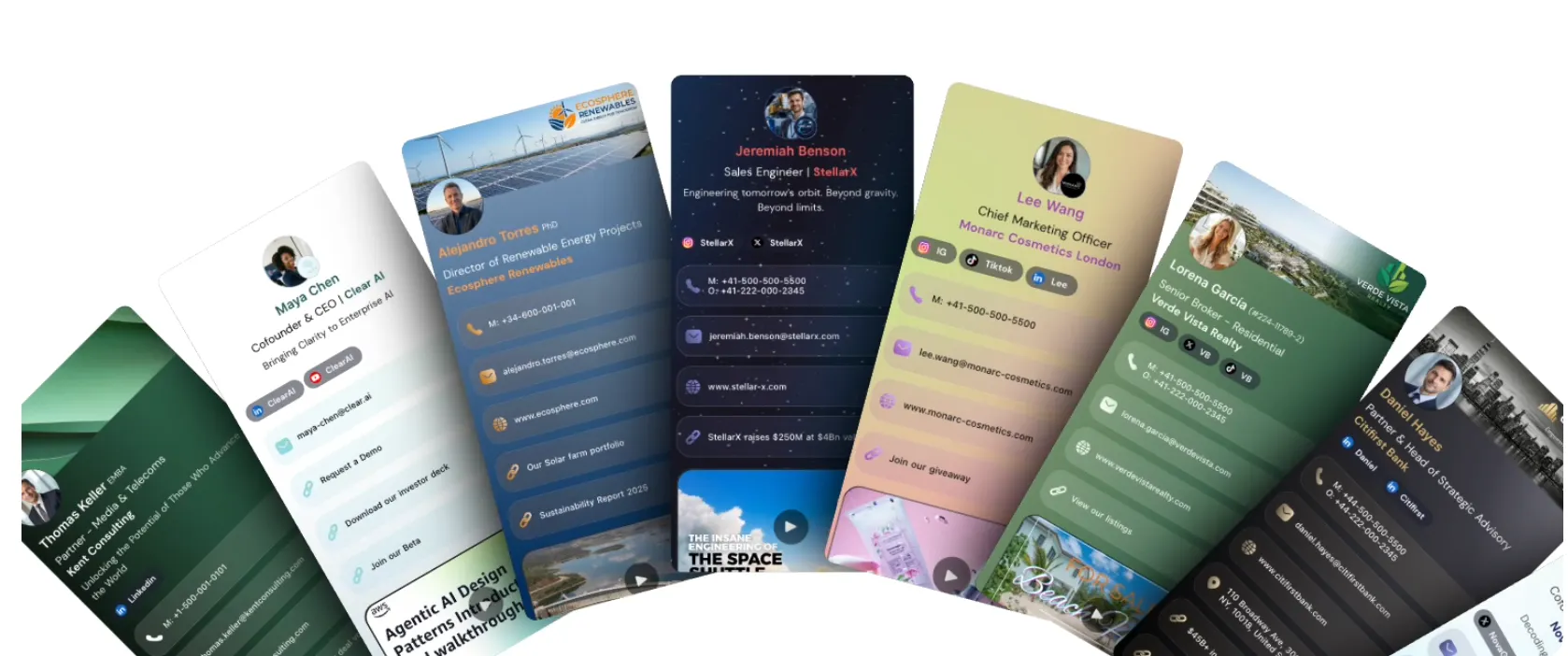
Sales teams that have outgrown basic card-sharing apps need a platform where every captured contact becomes a trackable lead. KADO does exactly that — NFC tap, QR scan, or lead capture form, and the contact lands in your CRM with tags, notes, and assignment rules intact. No manual imports, no lost follow-ups.
If your team runs events, manages a distributed sales force, or needs compliance documentation for enterprise procurement, KADO’s contact management and lead capture platform is worth a close look. You can also explore how KADO measures trade show and conference revenue to see how event ROI reporting works in practice. Start with a free account, run a live CRM sync test, and see how the workflow fits your team before committing to a plan.
Useful sources
These links are useful for researching vendors, comparing features, and testing integrations. KADO pages are marked with ⭐️.
- ⭐️ KADO contact management and lead capture — product detail on capture, tagging, CRM sync, and follow-up reminders
- ⭐️ KADO event ROI tracking — how to measure pipeline from trade shows and conferences
- ⭐️ KADO platform overview — full feature list, sharing methods, and pricing tiers
- Gettap.co reviews on Trustpilot — user reviews and “people also looked at” list for vendor discovery
- Tap app on Google Play — app store listing with “similar apps” section for category benchmarking
- Circo vs. Tap comparison (SourceForge) — feature-by-feature comparison across digital card vendors
- GoBiz vs. Tap comparison (SourceForge) — additional vendor category mapping and feature set variety
Frequently Asked Questions
What is the best digital business card app for sales teams?
KADO is the strongest option for sales teams because it combines CRM integrations (Salesforce, HubSpot, Zapier), lead capture forms, team admin controls, and NFC/QR/link sharing in one platform — features that entry-level apps like HiHello or Haystack don’t offer at the team level.
Is there a free gettap.co alternative?
Yes. HiHello and Haystack both offer free tiers with basic QR and link sharing. For teams that need CRM sync and admin controls, KADO also has a free tier, though team-level features require a paid plan.
What are people using instead of paper business cards?
Digital business card platforms that support NFC tap, QR codes, and shareable links are the most common replacement. Sales teams specifically tend to choose platforms with CRM integrations so captured contacts flow directly into Salesforce or HubSpot.
What is the best free digital business card?
For individuals, HiHello offers a clean free tier with QR and link sharing. For professionals who also need contact management and follow-up tools, KADO’s free plan includes more workflow features than most entry-level alternatives.
How do I migrate from gettap.co to a new platform?
Export your existing contacts from gettap.co as a CSV first, then import into your new platform’s contact manager or directly into your CRM. Most team-tier platforms, including KADO, support CSV import during onboarding. Plan for one to two weeks to complete the import, reconfigure card templates, and verify CRM sync before going live with your team.