Retour à la liste des articles
Step-by-step digital card sharing for networking success
Dernière modification: April 24, 2026


Digital business cards enable trackable and actionable lead generation for sales teams. Proper setup and analytics are essential to maximize sharing effectiveness and follow-up success. Using centralized, secure platforms with CRM integration improves lead management and engagement.
Paper business cards pile up in jacket pockets, sit forgotten in desk drawers, and rarely translate into actual follow-ups. For enterprise sales and marketing teams, that lost momentum is a real cost. Digital business card sharing solves this by turning every exchange into a trackable, actionable lead. In this guide, we walk through exactly what you need, how to share your card across every major channel, how to fix common issues, and how to measure results that actually move your pipeline forward.
Key Takeaways
| Point | Details |
|---|---|
Preparation is key | Having the right tools and platforms ensures smooth digital card sharing every time. |
Multiple sharing methods | You can share your digital card through QR codes, NFC, or links based on context. |
Troubleshoot proactively | Understanding common issues helps you avoid delays and make professional connections flawlessly. |
Analytics drive results | Track your card shares to improve follow-ups and maximize lead generation. |
What you need to start digital card sharing
Before your team shares a single card, you need the right foundation. Rushing into digital card sharing without the proper tools leads to inconsistent branding, broken links, and missed leads. Getting set up correctly the first time saves your team significant rework later.
Hardware you’ll need:
- ✅ A smartphone or tablet (iOS or Android) for on-the-go sharing
- ✅ An NFC-enabled device for tap-to-share functionality
- ✅ Optional: a physical NFC card or tag that links to your digital card
Software and platform requirements:
- ✅ A digital card tool with enterprise-grade customization
- ✅ A mobile app for real-time card updates and instant sharing
- ✅ CRM integration (Salesforce, HubSpot, or similar) for automatic lead capture
- ✅ Team account access with role-based permissions for administrators
For enterprises operating in regulated industries like finance or legal, secure card options with encrypted storage and compliance controls are non-negotiable. A secure and customizable platform for enterprise use ensures that sensitive contact data stays protected while still being easy to share.

Here’s a quick comparison of sharing-ready features to look for:
| Feature | Basic platforms | Enterprise platforms |
|---|---|---|
QR code sharing | ✅ | ✅ |
NFC tap sharing | ❌ | ✅ |
CRM integration | Limited | Full sync |
Analytics dashboard | ❌ | ✅ |
Role-based access | ❌ | ✅ |
Centralized card updates | ❌ | ✅ |
Pro Tip: Prioritize platforms with built-in analytics from day one. Knowing who opened your card, when, and how many times gives your sales team a significant advantage when timing follow-ups.
Step-by-step process to share your digital business card
Now that you have all the tools in place, here’s exactly how to initiate and complete digital card sharing. Each step is designed to make the process feel natural, whether you’re at a conference, on a video call, or following up after a cold outreach.
- Update your card before any event. Confirm your title, contact details, social links, and any embedded media are current. Outdated information erodes trust immediately.
- Choose your sharing channel. Select the method that fits the moment. Step-by-step sharing varies by context, but the core options are consistent across most platforms.
- Share using your preferred method. Execute the exchange confidently and guide the recipient if needed.
- Capture the lead immediately. Use your platform’s contact capture form or CRM sync to record the new contact before the conversation ends.
- Trigger a follow-up sequence. Set an automated reminder or email sequence through your contact manager integration to keep the conversation warm.
Here’s a breakdown of each sharing method and when to use it:
| Method | How it works | Best use case |
|---|---|---|
QR code | Recipient scans with phone camera | In-person events, trade shows |
NFC tap | Tap your card or device to theirs | Face-to-face meetings |
Link sharing | Send a URL via email or chat | Remote networking, LinkedIn |
SMS | Text a card link directly | Quick follow-ups after calls |
Email signature | Embed card link in your signature | Ongoing email communication |
Sharing methods typically follow a similar pattern across platforms, but the best teams adapt their method to the moment. A QR code works perfectly at a conference booth. An SMS link works better after a phone discovery call.
Pro Tip: Automate CRM syncing wherever possible. When a contact scans your card and fills in a capture form, that data should flow directly into your CRM without manual entry. This removes friction and ensures no lead falls through the cracks.
Troubleshooting and avoiding common mistakes
Along the way, issues can arise. Let’s address these to keep sharing swift and professional. Even well-prepared teams run into friction points, and knowing how to handle them quickly protects your brand image.
Common issues and their solutions:
- ⚠️ Recipient’s device lacks NFC: Not all phones support NFC tapping. Always have a QR code backup ready. Most platforms display both options simultaneously.
- ⚠️ QR code not scanning: Poor lighting or a low-resolution display causes scan failures. Increase screen brightness and ensure the QR code is large enough to read from a comfortable distance.
- ⚠️ Information is out of date: Stale contact details make your team look disorganized. Use centralized card management so any update one person makes reflects instantly across the entire team’s cards.
- ⚠️ Recipient reluctance or privacy concerns: Some contacts hesitate to scan unknown links. Briefly explain what the card contains and reassure them no app download is required. Common issues like app compatibility and recipient reluctance are manageable with a short verbal explanation.
- ⚠️ Team members sharing outdated cards: Without training, reps may share old versions. Establish a clear onboarding process and use platforms with industry solutions that support centralized admin control.
“The biggest sharing mistakes aren’t technical. They’re behavioral. Teams that don’t train on etiquette and data security undermine even the best platform.”
Scheduling a regular card audit every quarter keeps information accurate. If you’re unsure where to start, request a demo to see how enterprise platforms handle centralized updates and compliance controls in practice.
Analyzing results and maximizing your networking impact
Once sharing is underway, reviewing outcomes sets the stage for ongoing networking success. Most enterprise teams deploy digital cards and then stop there. That’s leaving serious value on the table.
- Access your analytics dashboard. Log into your platform and review card-level metrics: opens, link clicks, contact form submissions, and geographic data.
- Measure lead quality, not just volume. A card opened three times by the same person signals strong interest. Track engagement depth, not just raw open counts.
- Segment your leads by source. Separate conference leads from email signature leads from LinkedIn link shares. Each channel has a different conversion pattern.
- Activate automated follow-up sequences. Analytics features allow sales teams to track engagement and follow up promptly, turning passive card views into active conversations.
- Refine your card template based on data. If click-through rates on your embedded video are low, test a different thumbnail or reposition the link.
📊 Statistic callout: Sales teams that follow up within one hour of initial contact are 7x more likely to qualify a lead than those who wait longer. Digital card analytics make that timing possible.
Looking at industry-wide card use reveals that organizations using analytics-driven follow-up consistently outperform those treating card sharing as a one-and-done action. The data is clear: measurement drives results.
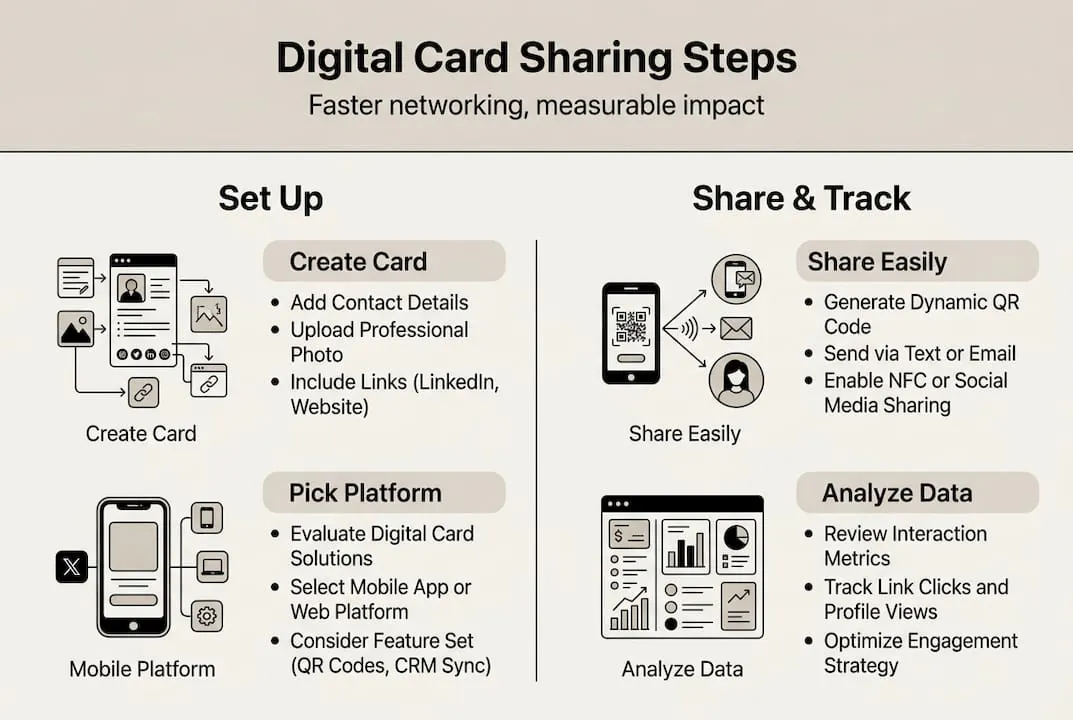
Pro Tip: A/B test your card templates every quarter. Try different headlines, profile photos, or call-to-action buttons and compare engagement rates. Small changes often produce surprising lifts in conversion.
Why every sales and marketing team should rethink digital card sharing
Here’s the uncomfortable truth most organizations miss: digital card sharing is not a replacement for physical cards. It’s a relationship management system that happens to start with a card exchange.
Most teams deploy digital cards, celebrate the novelty, and then use them exactly like paper cards. One exchange. One contact saved. Done. That mindset wastes the most valuable part of the technology.
The real ROI lives in what happens after the exchange. When you treat your digital card as a living entry point into your relationship management workflow, every share becomes a trigger. A trigger for a follow-up. A trigger for segmentation. A trigger for a personalized nurture sequence.
We’ve seen teams cut their average lead response time by days simply by connecting card analytics to their CRM alerts. The card becomes a signal, not just a contact sheet. The biggest gains don’t come from deploying the technology. They come from refining how you respond to the data it generates. Build that feedback loop, and digital card sharing becomes one of your most productive lead generation channels.
Empower your team with smarter digital card solutions
The steps above give your team a clear path from setup to measurable results. But the platform you choose determines how far you can take that process. Purpose-built solutions designed for specific industries make a real difference in adoption and outcomes.
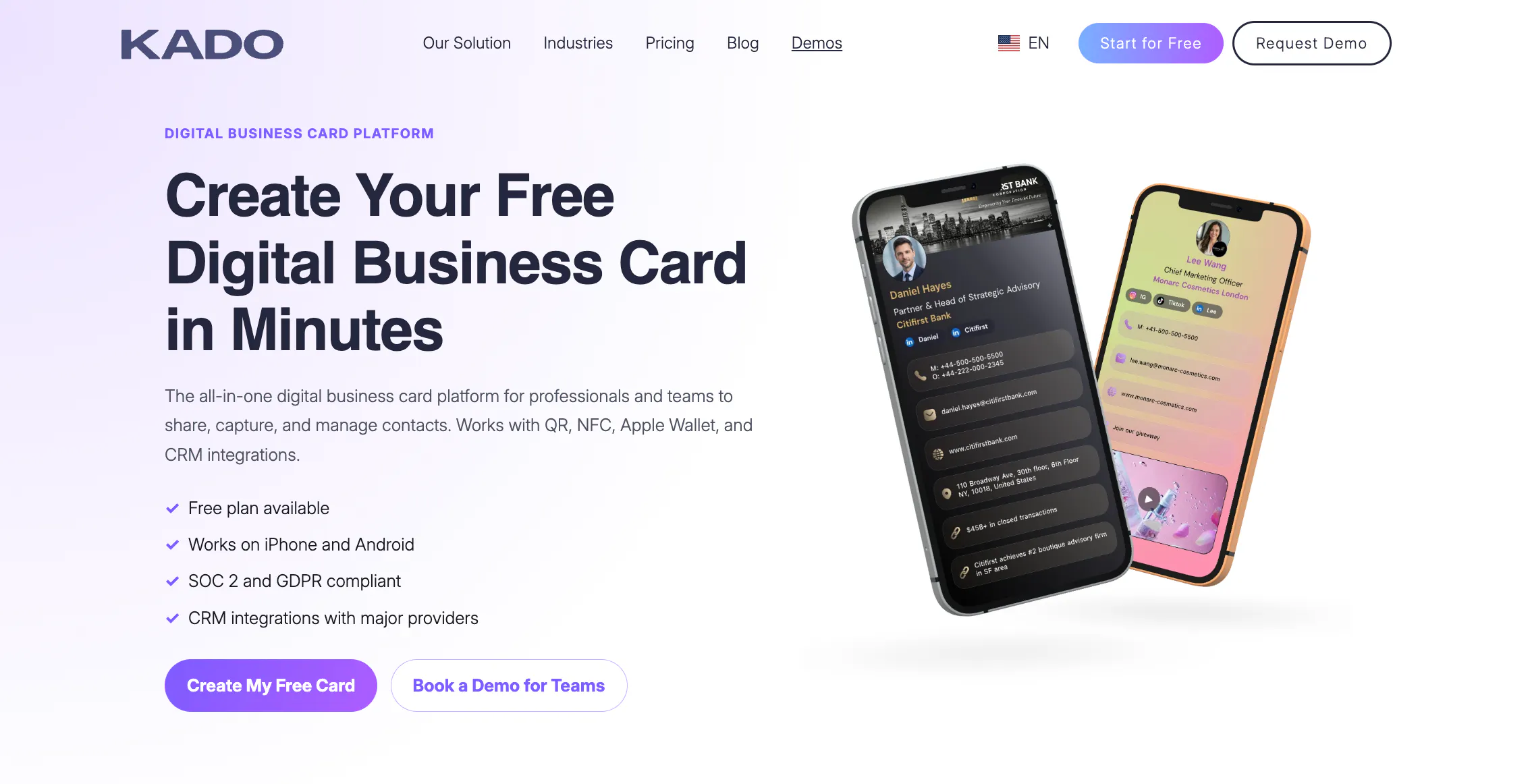
KADO Networks offers tailored card solutions for financial advisors, energy sector teams, and enterprises that need secure, analytics-powered sharing at scale. Whether your team needs NFC cards for enterprise deployments or a fully branded digital card ecosystem, KADO makes it easy to get started and even easier to grow. Explore the platform and see how smarter card sharing translates directly into faster follow-ups and stronger pipelines.
Foire aux questions
What is digital card sharing and how does it differ from physical cards?
Digital card sharing lets you instantly send your business card information electronically, making networking faster and more secure compared to handing out paper cards. Unlike physical cards, digital cards reduce manual data entry and paper waste while enabling real-time updates.
Can digital business cards integrate with CRMs?
Yes, top platforms offer CRM integrations for automatic lead capture and follow-up. Many card platforms support full CRM system integrations, syncing contact data without manual input.
What are the most secure methods for sharing digital cards?
Secure platforms provide encrypted sharing via QR codes and controlled email or SMS links. Always choose solutions with advanced security and compliance features, especially for regulated industries.
How do you track engagement with shared digital cards?
Analytics dashboards display metrics like open rates and shares, so you can measure follow-ups and refine your approach. Sales teams can track card activity through built-in analytics to prioritize the warmest leads.