Go back to list of posts
What Is Scalable Contact Management for Professionals
Last modified: August 5, 2026


Scalable contact management is the system design and methodology that lets professionals organize, maintain, and grow contact databases without losing performance, accuracy, or usability as data volumes increase. The term “contact management system” is the recognized industry standard; “scalable contact management” describes the specific capability that separates systems built to grow from those that break under pressure. 71% of scalability issues in growing firms trace back to contact data models built for fewer than 100 users that collapse at 10,000 records. That single statistic explains why professionals who rely on networking, lead capture, and relationship building need to understand this concept before they hit a wall. Whether you manage 500 contacts or 50,000, the architecture you choose today determines how well your system performs tomorrow.
What is scalable contact management at its architectural core?
The foundation of any contact management system that grows well is how it structures data. Most early-stage systems use a flat contact model, meaning every piece of information about a person sits in one table: name, email, last interaction date, deal stage, and custom notes all mixed together. Mixing contact identity, relationship attributes, and interaction data in one flat model causes frequent performance degradation as record counts climb.
The better approach separates contact data into three distinct layers:
- Identity layer: Core, rarely changing information such as name, email address, phone number, and company affiliation.
- Relationship layer: Attributes that describe how a contact relates to your business, including deal stage, assigned owner, tags, and segment labels.
- Interaction layer: Time-stamped activity records such as meeting notes, email history, and follow-up tasks.
Each layer updates at a different frequency. Identity data changes rarely. Interaction data changes constantly. Keeping them separate means the system only touches the data it needs for each query, which keeps reporting fast and prevents the kind of full-table scans that slow everything down.
Architecting databases with a three-layer model reduces custom fields by 40–60%. Fewer custom fields means a cleaner schema, faster queries, and far less technical debt to manage as your team grows.

Pro Tip: Before adding a new custom field to your contact records, ask whether it belongs to identity, relationship, or interaction data. Placing it in the wrong layer is the most common cause of database clutter and slow reporting.
Reactive field creation is the silent killer of contact system performance. Databases built through reactive custom field creation run 3–5 times slower for reporting compared to structured, staged data models that maintain 85–95% data completeness. That performance gap compounds as record counts grow, making a rebuild inevitable rather than optional.
How do scalable systems handle data volume growth and workload spikes?
Contact data does not grow at a steady pace. Trade shows, product launches, and service incidents create sudden surges that can overwhelm systems built for average daily loads. Contact systems must handle traffic spikes 3x to 10x higher than normal daily levels to remain reliable during peak events.
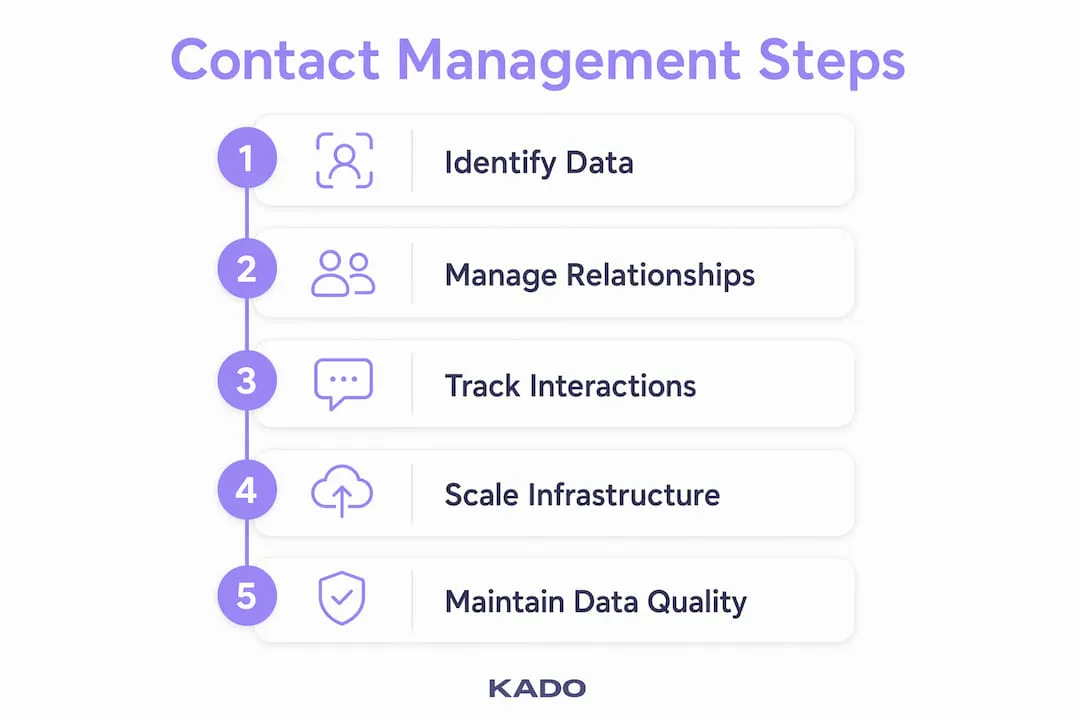
The technical answer to this challenge is elastic, cloud-native architecture. Cloud-native elastic infrastructure provisions resources automatically to absorb sudden workload spikes without downtime or performance degradation. In practical terms, the system adds compute and storage within minutes when demand spikes, then releases those resources when demand drops. You pay for what you use, and your contacts never experience a slowdown.
The table below compares the two primary scaling approaches professionals encounter when evaluating contact management systems:
| Scaling approach | How it works | Best for | Key limitation |
|---|---|---|---|
Vertical scaling | Adds more power to a single server (more RAM, faster CPU) | Small teams with predictable growth | Hard ceiling on capacity; expensive at scale |
Horizontal scaling | Adds more server instances in parallel | Teams with unpredictable or rapid growth | Requires cloud-native architecture to work well |
Horizontal scaling is more cost-effective and elastic than vertical scaling for handling surges and sustained growth. Cloud infrastructure auto-adjusts resources while maintaining service quality, which means you are not paying for peak capacity 365 days a year.
Pro Tip: When evaluating a contact management platform, ask the vendor directly whether their infrastructure uses horizontal or vertical scaling. If they cannot answer clearly, treat that as a red flag for long-term reliability.
A real-world example: a sales team attending a major industry conference might capture 400 new contacts in two days. A vertically scaled system on a fixed server may slow to a crawl during bulk import and enrichment. A horizontally scaled, cloud-native system handles the same load without a noticeable delay, then scales back down on Monday morning.
What features make a contact management system truly grow with you?
Scalable contact management requires more than storage capacity. It demands flexible data structures, automation, permissions, integration, and usability that hold up as teams and data volumes expand. The features below separate systems that grow well from those that become liabilities:
- Flexible data structures: The system must let you add fields, segments, and relationship types without a developer. Rigid schemas force workarounds that create the exact data silos you are trying to avoid.
- Automation for record creation and follow-up: Automation and integration reduce manual effort as record numbers grow, improving data quality and usability across teams. This includes deduplication, workflow triggers, and cross-app syncing.
- Granular permissions and data governance: As teams grow, not every member needs access to every record. Role-based permissions prevent accidental edits, protect sensitive contact data, and keep compliance requirements manageable.
- CRM and tool integrations: A contact system that does not connect to your email platform, calendar, or CRM creates manual re-entry work. Look for native integrations with tools like Salesforce, HubSpot, Microsoft Dynamics, Outlook, Google Workspace, and Zapier.
- Deduplication and data quality controls: Duplicate records are the most common sign that a contact system is not growing well. Automated deduplication catches duplicates at the point of entry rather than during a painful quarterly cleanup.
- Reporting and analytics: You cannot manage what you cannot measure. A system that reports on contact completeness, engagement rates, and follow-up activity gives you the visibility to catch data quality problems before they compound.
Professionals who manage contacts efficiently treat their contact database as a living asset, not a static address book. The features above are what keep that asset reliable as it grows.
How can professionals implement and maintain scalable contact management?
Getting the architecture right from day one matters more than most professionals realize. The steps below reflect what actually works in practice, not just in theory.
- Centralize all contact data into one system. Without a single source of truth, teams face version control issues and outdated contact records that create operational chaos. Pick one platform and migrate everything to it before adding new contacts.
- Define your data model before you start importing. Decide which fields belong to identity, relationship, and interaction layers. Map your business process to the data structure, not the other way around.
- Set up automation for record creation and assignment. Manual data entry is the fastest path to dirty data. Automate contact creation from web forms, event badge scans, email signatures, and digital card exchanges from day one.
- Establish governance standards across your team. Document which fields are required, who owns data quality, and how duplicates are handled. Company-wide standards are the difference between a clean database and one that needs a full rebuild every 18 months.
- Schedule regular data maintenance. Regular data cleanup and governance protocols significantly improve contact data accuracy and system performance. A quarterly audit of duplicate records, outdated emails, and incomplete profiles keeps the system trustworthy.
- Choose tools that support your growth trajectory. A platform that works well for 200 contacts but slows at 20,000 is not a contact management system. It is a temporary solution. Evaluate platforms against your three-year growth projection, not your current headcount.
Professionals in job hunting and career transitions face the same contact management challenges as sales teams: rapid contact acquisition, inconsistent follow-up, and data that quickly becomes stale. The same principles apply regardless of industry.
A practical workflow for managing digital contacts is worth building before you need it. The digital contact workflow that works at 100 contacts should be the same one that works at 10,000, with automation handling the volume increase rather than more manual effort.
Key Takeaways
Scalable contact management requires a layered data architecture, elastic infrastructure, and consistent governance to remain reliable as contact volumes and team size grow.
| Point | Details |
|---|---|
Layered data architecture | Separate identity, relationship, and interaction data to prevent performance degradation as records grow. |
Elastic infrastructure | Cloud-native horizontal scaling handles 3x–10x traffic spikes without downtime or slowdowns. |
Automation reduces manual overhead | Deduplication, workflow triggers, and CRM integrations keep data quality high as volume increases. |
Centralization is non-negotiable | A single source of truth prevents version control problems and outdated records across teams. |
Governance sustains performance | Regular data audits and company-wide standards prevent the database clutter that forces costly rebuilds. |
What we have learned about scalable contact management the hard way
After working with professionals across sales, recruiting, real estate, and event management, the pattern is consistent: teams do not plan for scale until they are already suffering from the lack of it. By the time a database is slow, full of duplicates, and impossible to report on cleanly, the cost of fixing it is three to five times higher than building it right the first time would have been.
The most common mistake is reactive field creation. A sales manager needs to track a new attribute, so they add a custom field. Then another. Then another. Within a year, the contact record has 60 fields, half of which are empty on most records, and reporting takes minutes instead of seconds. The fix is not a new platform. It is a data model review that should have happened before the first field was added.
Centralization is the second lesson most teams learn too late. When contact data lives in email inboxes, spreadsheets, a CRM, and a separate event platform, no single record is trustworthy. The team spends more time reconciling versions than actually using the data. A single, well-governed platform eliminates that problem entirely.
The professionals who get this right share one habit: they treat their contact database as a product with an owner, a roadmap, and quality standards. Not as a byproduct of their sales or networking activity.
— KADO
How KADO supports contact management that grows with your business

Professionals who capture contacts at events, conferences, and networking meetings need a system that handles volume without creating data chaos.
KADO is built for exactly that scenario. The platform captures contacts through QR codes, NFC cards, digital business card links, and lead capture forms, then organizes them with notes, tags, and follow-up reminders in one centralized place. Teams can sync captured contacts directly to Salesforce, HubSpot, Microsoft Dynamics, and other CRMs, eliminating manual re-entry entirely. For professionals who attend trade shows and conferences, KADO’s event ROI measurement tools connect contact capture directly to revenue outcomes. Explore KADO’s contact capture and organization tools to see how the platform grows with your team.
Frequently Asked Questions
What is scalable contact management?
Scalable contact management is the ability to organize, maintain, and grow a contact database without losing performance or data quality as record volumes and team size increase. It combines layered data architecture, automation, and governance into one system.
Why do contact management systems fail at scale?
71% of scalability failures originate from flat data models built for small user counts that break under high record volumes. Reactive field creation and lack of governance accelerate the problem.
What is the difference between horizontal and vertical scaling?
Vertical scaling adds power to a single server and hits a hard capacity ceiling. Horizontal scaling adds parallel server instances and is more cost-effective for handling unpredictable growth and traffic spikes.
How often should professionals clean their contact database?
A quarterly audit of duplicates, outdated records, and incomplete profiles is the minimum standard. Regular cleanup protocols significantly improve data accuracy and system performance over time.
What features should professionals prioritize in a contact management system?
Prioritize flexible data structures, automated deduplication, CRM integrations, role-based permissions, and built-in reporting. These features maintain data quality and usability as contact volumes grow.