Go back to list of posts
Workflow for Managing Digital Contacts: 2026 Guide
Last modified: July 8, 2026


A structured workflow for managing digital contacts is the process of consolidating, organizing, and nurturing your professional network so every follow-up is timely, relevant, and grounded in real context. Without this structure, contact data decays at 22.5% annually, meaning nearly a quarter of your network becomes unreliable within a single year. That rate makes ad hoc contact management a liability, not just an inconvenience. The industry term for the broader discipline is digital relationship management, which extends beyond basic CRM data entry to include interaction context, trust signals, and relationship history. A well-executed contact data workflow system turns a scattered list of names into a living, actionable network.
What tools and prerequisites build an efficient digital contact workflow?
The foundation of any contact management workflow is a single, centralized system. Pulling contacts from email, LinkedIn, event apps, and paper card scans into one place eliminates the fragmentation that causes missed follow-ups. A mobile-first interface matters here because most contact capture happens away from a desk, at conferences, client meetings, or networking events.
The right tool supports four core capabilities: tagging, notes, reminders, and relationship context. Without all four, you end up with a glorified address book rather than a system that drives real engagement. Platforms that integrate with Salesforce, HubSpot, Microsoft Dynamics, or Zapier add another layer of value by syncing captured contacts directly into existing sales workflows.

Before you pick a tool, two prerequisites determine whether the system will hold up over time. First, establish consistent naming conventions for tags and categories. Second, commit to basic data hygiene from day one, because retrofitting a messy database is far harder than building a clean one.
| Feature category | What it enables |
|---|---|
Tagging and segmentation | Group contacts by event, role, or relationship stage |
Notes and interaction logs | Preserve context from every conversation |
Follow-up reminders | Trigger timely outreach without relying on memory |
CRM integration | Sync contacts to sales and marketing systems |
Deduplication tools | Prevent redundant records from cluttering the database |
How to structure and execute the key steps in managing digital contacts
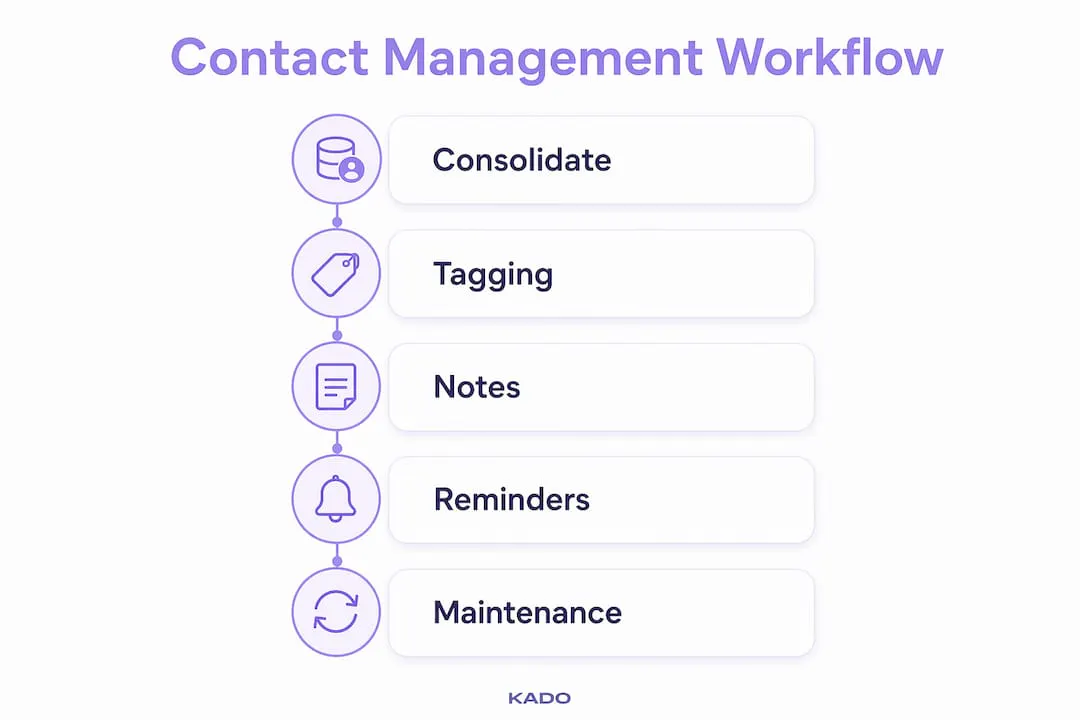
Execution is where most contact management workflows break down. The steps below follow a logical sequence that prevents the most common failure points.
- Consolidate all contact sources. Pull every contact into one system: email contacts, LinkedIn connections, scanned business cards, event app exports, and CRM records. The goal is a single source of truth. Leaving contacts scattered across apps guarantees that some will never receive a follow-up.
- Deduplicate and clean your data. AI deduplication tools flag duplicate records effectively, but a professional should review flagged matches before merging. This human-in-the-loop approach prevents accidental data loss when two contacts share a name or company. Automated merging without oversight regularly destroys records that looked identical but were not.
- Tag contacts strategically. Tags should capture three dimensions: event or source (where you met), location (city or region), and relationship stage (prospect, partner, client, dormant). Location-based tagging alone produces a 22% increase in meeting conversion rates. That result reflects how much context a single tag can add to an otherwise generic follow-up message.
- Embed reminders directly in contact profiles. Context-rich reminders placed inside a contact record, not in a separate task app, preserve the full picture of why you’re reaching out. When a reminder fires, you see the contact’s notes, last interaction, and tags all at once. That context is what separates a relevant follow-up from a generic one.
- Categorize contacts by engagement level. Group your network into tiers: active relationships, warm contacts, cold contacts, and archived. This categorization lets you prioritize outreach and allocate attention where it produces the most return. Contacts that have gone silent for six months belong in the cold tier, not cluttering your active view.
Pro Tip: Never tag a contact with more than five labels. Tag overload creates the same confusion as no tags at all. Pick the three to five dimensions that actually drive your follow-up decisions and stick to them.
How to maintain your digital contact database for accuracy
A contact database is not a set-and-forget system. Data decay at 22.5% per year means that without active maintenance, your database loses reliability faster than most teams realize. A 30-day recurring audit is the standard cadence for keeping records accurate.
Maintenance best practices include:
- ✅ Update job titles and email addresses every time a contact mentions a role change, even informally.
- ✅ Log every interaction as a timestamped note so the relationship history stays current.
- ✅ Reset follow-up timers when a contact responds or re-engages. Activity resets the clock.
- ✅ Archive dormant contacts rather than deleting them. Archiving preserves relationship history and allows you to reactivate a contact years later with full context intact.
- ✅ Avoid fully automated background cleaning. Automated tools miss nuance. A contact flagged as inactive may have simply changed email addresses.
The archive-versus-delete decision is one that most professionals get wrong. Deleting a contact removes every note, tag, and interaction log attached to that record. Archiving keeps the history while removing the contact from your active working view. That distinction matters when a dormant contact resurfaces two years later and you need to remember why the relationship stalled.
Pro Tip: Block 20 minutes every Friday to review contacts added that week. Tagging and noting while the conversation is fresh takes a fraction of the time it takes to reconstruct context later.
What advanced techniques use relationship intelligence for better contact management?
Relationship intelligence is the practice of reading accumulated interaction data to surface meaningful signals about a professional relationship. It goes beyond what a standard CRM captures. CRM records the “who” and “when,” while digital relationship management focuses on the “what” and “how” to build trust before capturing leads. The two approaches complement each other rather than compete.
The core principle of relationship intelligence is persistent identity. Every email, meeting note, and follow-up attaches to a single contact record over time. That accumulation lets you detect patterns: a partner who has gone silent after consistent engagement, a prospect who keeps raising the same objection, or a client whose interaction frequency signals renewal risk.
“Relationship intelligence turns stored data into signals. A partner’s silence after consistent engagement is not just an absence of activity. It is evidence of a shift in the relationship that deserves a deliberate response.” Source: Sopact, Relationship Intelligence: Beyond Contacts and CRM
Automated CRM data extraction alone does not improve relationship quality without the other person perceiving contextual relevance. That finding reframes how you should think about personalization. Volume-driven automation sends more messages. Value-centric personalization sends the right message at the right moment, grounded in what you actually know about that contact.
Embedding reminders with full contact context, rather than relying on a separate task manager, is the practical application of this principle. When your follow-up reminder includes the contact’s last three interactions, their current role, and the topic you discussed, the outreach feels natural. When it does not, it feels like a cold call wearing a warm coat.
Building trust through digital channels requires this kind of contextual consistency. Contacts notice when your outreach reflects real knowledge of the relationship. They also notice when it does not.
Key Takeaways
An effective workflow for managing digital contacts requires consolidation, strategic tagging, context-rich reminders, and routine maintenance to prevent data decay and sustain real relationship value.
| Point | Details |
|---|---|
Data decays fast | Contact data loses accuracy at 22.5% annually, making 30-day audits non-negotiable. |
Tagging drives conversion | Location and stage-based tags increase meeting conversion rates by 22%. |
Human oversight matters | AI deduplication requires human review to prevent accidental record loss. |
Archive, never delete | Archiving dormant contacts preserves relationship history for future reactivation. |
Context beats volume | Reminders embedded in contact profiles produce more relevant follow-ups than separate task apps. |
What we’ve learned from building real contact workflows
The most common failure we see is not a tool problem. It is a discipline problem. Professionals invest in a contact management platform, import their contacts, and then treat the system like a static directory. The database grows stale, tags become inconsistent, and follow-ups drift back to memory and gut feel.
The second most common mistake is over-automating the cleaning process. Automated deduplication and enrichment tools are genuinely useful, but they require a human checkpoint before changes are committed. We have seen teams lose years of interaction history because an automated merge ran without review. That loss is not recoverable.
What actually works is a simple weekly habit: tag and note every new contact within 48 hours of meeting them, run a light audit every Friday, and treat the archive function as a tool rather than a last resort. Strategic tagging, particularly by event and relationship stage, pays dividends within weeks. When you can filter your network by “met at SaaStr 2025, currently in evaluation stage,” your follow-up becomes a conversation rather than a cold pitch.
Relationship intelligence is not a feature you buy. It is a practice you build. The technology supports it, but the judgment behind every tag, note, and reminder is yours.
— KADO
How KADO supports your digital contact workflow
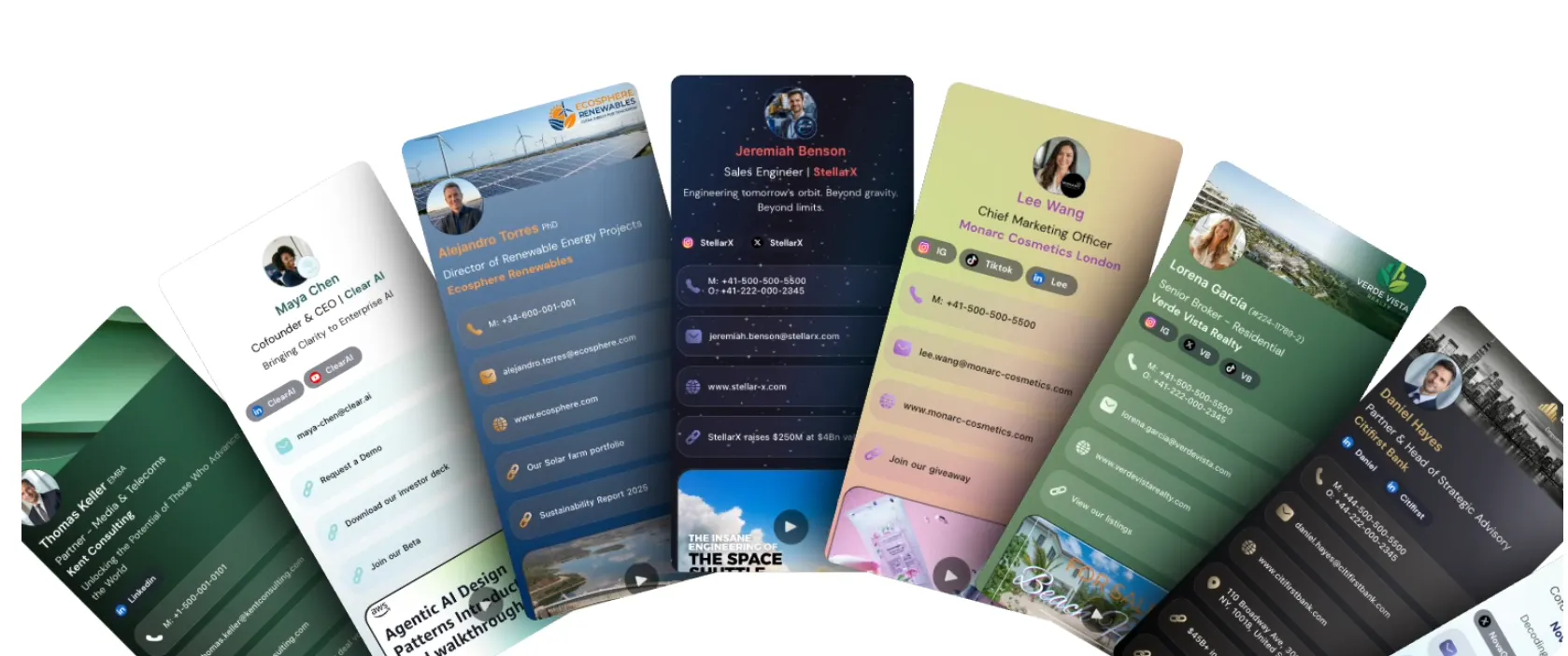
KADO is built for exactly this kind of structured, context-driven contact management. The platform captures contacts through QR codes, NFC cards, digital business cards, and lead capture forms, then gives you the tools to tag, note, and set follow-up reminders directly inside each contact record. Every interaction stays attached to the right profile, so your team never loses context between touchpoints.
For teams managing contacts across events, sales cycles, and ongoing client relationships, KADO’s contact management tools connect directly with Salesforce, HubSpot, Microsoft Dynamics, and Zapier. That means contacts captured in the field sync into your existing workflows without manual data entry. If you track networking ROI from events, KADO also supports event-based contact tracking to measure which relationships convert.
Frequently Asked Questions
What is a workflow for managing digital contacts?
A workflow for managing digital contacts is a structured process for consolidating, tagging, maintaining, and following up with professional contacts in a single digital system. It replaces ad hoc contact management with repeatable steps that preserve relationship context and prevent data decay.
How often should I audit my contact database?
A 30-day recurring audit is the recommended standard, given that contact data decays at 22.5% annually. Monthly reviews catch outdated job titles, bounced emails, and dormant records before they undermine your outreach.
Should I delete or archive inactive contacts?
Archive them. Archiving inactive contacts preserves every note, tag, and interaction log attached to that record, which makes reactivation far easier when the contact resurfaces.
What is the difference between CRM and digital relationship management?
CRM captures the “who” and “when” of a contact relationship. Digital relationship management adds the “what” and “how,” focusing on interaction context and trust-building before lead capture. The two approaches work best together.
How do I avoid losing data during contact deduplication?
Use a human-in-the-loop workflow. Let AI flag potential duplicates, then have a team member review each match before merging. This step prevents the accidental loss of records that appear identical but represent different contacts or relationship histories.