Go back to list of posts
Card personalization for better networking results in 2026
Last modified: June 16, 2026


Simply having a business card is not the same as making a lasting impression. Professionals hand out thousands of cards every year, yet most end up forgotten in a drawer or tossed out entirely. The real opportunity lies in personalization, specifically in how digital business cards let you tailor every detail to your audience, your goals, and your brand. This guide breaks down what card personalization actually means, how it compares across physical and digital formats, and how you can use it to capture more leads and manage contacts more effectively.
Key Takeaways
| Point | Details |
|---|---|
Card personalization defined | Customizing your card design and content helps you stand out and connect with purpose. |
Digital vs. physical strengths | Physical cards are great for first impressions while digital excel in convenience, updates, and analytics. |
Strategic personalization | Personalize with clear intent and use analytics to capture more leads and manage contacts efficiently. |
Hybrid approach | Combining physical and digital cards delivers the broadest impact in modern networking. |
What is card personalization?
Card personalization means customizing your business card beyond the basics. It goes well past adding your name and phone number. It is about shaping every element of the card to reflect your brand, speak to your audience, and support your networking goals.
With digital business cards, personalization reaches a level that printed cards simply cannot match. Digital cards excel in convenience, storage, and eco-friendliness compared to physical cards, and they give you far more control over what you present and how.
Here is what you can typically personalize on a digital card:
- Design elements: Colors, fonts, logos, background images, and layout that reflect your brand identity
- Contact fields: Phone, email, website, social profiles, and even custom fields for niche industries such as investment banking, automotive, construction or your clothing brand.
- Multimedia content: Embedded videos, portfolio links, product demos, or a personal introduction clip
- Lead capture forms: Fields that let contacts share their own info directly from your card
- Analytics: Track who viewed your card, when, and what they clicked
- Calls to action: Buttons that drive specific behaviors, like booking a call or downloading a resource
This level of control is what separates a generic contact exchange from a strategic networking tool. Exploring business card solutions by industry can help you understand which personalization features matter most for your specific field.
Pro Tip: Use your card’s headline or bio field to communicate your unique value proposition in one sentence. Think of it as your elevator pitch in digital form.
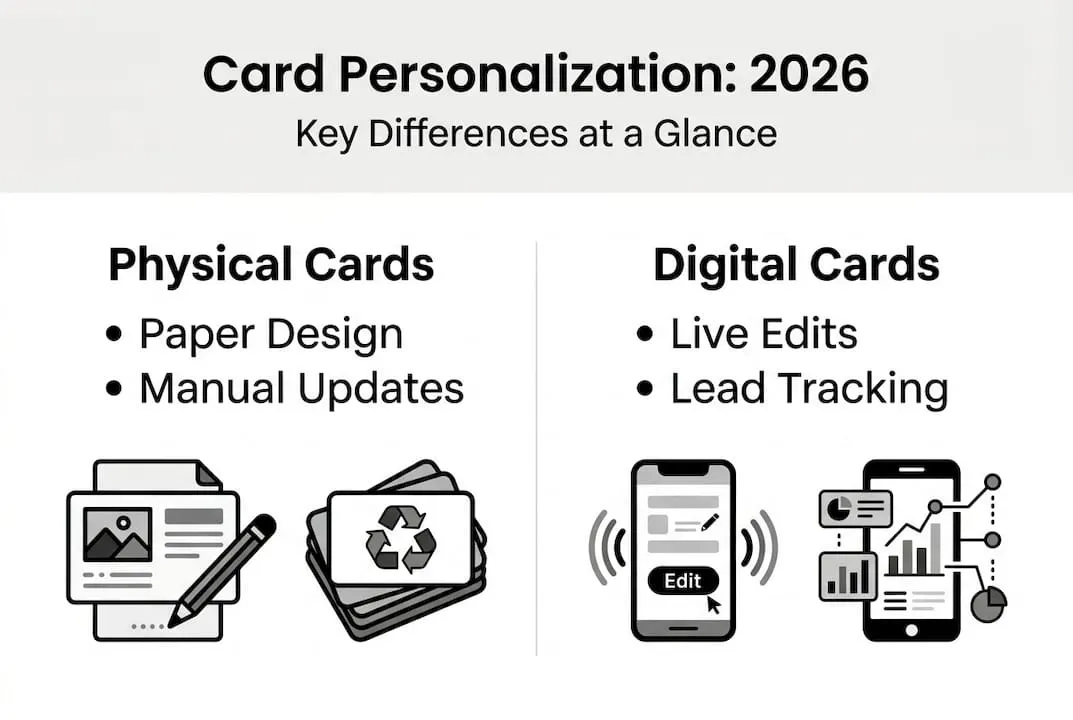
Physical vs. digital card personalization: Key differences
Now that the concept is clear, how do physical and digital personalization truly stack up? Both formats offer personalization options, but they serve different purposes and produce different outcomes.
| Feature | Physical cards | Digital cards |
|---|---|---|
Design flexibility | High at print time | High and editable anytime |
Real-time updates | Not possible | Instant, no reprint needed |
Analytics | None | Full view and click tracking |
Eco-friendliness | Low (paper waste) | High (no printing required) |
Global reach | Limited by distribution | Shareable via link, QR, or NFC |
Lead capture | Manual follow-up only | Built-in capture forms |
Cost over time | Reprinting adds up | Fixed digital subscription |
Physical cards still hold value in specific settings. Physical cards are preferred for tactile recall and first impressions, especially in law and finance, but digital cards excel for global reach and real-time updates.
“A well-designed physical card creates a moment of connection. But a digital card keeps that connection alive long after the meeting ends.”
Benefits of physical card personalization:
- ✅ Creates a tangible, memorable first impression
- ✅ Works without internet or device compatibility concerns
- ✅ Preferred in formal or traditional industries
Benefits of digital card personalization:
- ✅ Update contact info without reprinting
- ✅ Share instantly via QR code, NFC, or link
- ✅ Track engagement and follow up with data
- ✅ Embed multimedia for richer introductions
For professionals in fields like law, digital business cards for lawyers offer a smart hybrid approach. Similarly, teams in the energy industry benefit from cards that update in real time as roles and projects shift. The smartest strategy often combines both formats depending on context.
Personalization strategies that drive more leads
Understanding the differences is one thing. Putting them to work is another. Here is a practical sequence for setting up personalized digital cards that actually generate leads.
- Define your audience first. A recruiter’s card should look and feel different from a financial advisor’s. Tailor your design, tone, and featured content to the people you are meeting.
- Choose a strong visual identity. Use your brand colors and logo consistently. Consistency builds recognition and trust faster than clever design alone.
- Add a clear call to action. Every card should prompt a next step. Whether that is booking a meeting, visiting a landing page, or downloading a guide, make it obvious and easy.
- Enable lead capture. Use built-in contact forms so prospects can share their info with you directly. This eliminates the friction of manual follow-up.
- Embed relevant media. A short video introduction or a link to your portfolio adds depth that a printed card never could.
- Segment cards by context. Create different card versions for conferences, sales calls, and recruiting events. Each version can emphasize different information.
Digital cards provide analytics for lead tracking, which is a key advantage over physical cards. Knowing who viewed your card and when gives you a real signal for follow-up timing.

Pro Tip: Check your card analytics within 24 hours of a networking event. If someone viewed your card multiple times, that is a warm lead worth reaching out to immediately.
For professionals managing client relationships, card strategies for financial advisors or legal professionals show how targeted personalization drives stronger engagement. Teams using NFC card technology also report faster exchanges and higher contact capture rates at in-person events.
Integrating personalized cards with contact management systems
Personalization also impacts how you manage and organize contacts. A beautifully designed card means little if the leads it generates get lost in a spreadsheet or forgotten in your inbox. Personalizing your digital business card goes beyond aesthetics — in fact, custom branding can deliver measurable ROI on networking success, with branded cards significantly outperforming generic alternatives in connection and follow-up rates.
The real power of digital card personalization comes when it connects directly to your CRM or contact management platform. Here is how manual and automated workflows compare:
| Workflow type | Manual process | Automated with digital cards |
|---|---|---|
Data entry | Type each contact by hand | Auto-captured from card interactions |
Follow-up timing | Relies on memory or notes | Triggered by card view or form submission |
Error rate | High, especially at volume | Low, data flows directly to CRM |
Scalability | Breaks down at scale | Grows with your contact volume |
Reporting | Manual tracking required | Real-time dashboards available |
Digital cards streamline storage and updates compared to physical cards, and CRM integration takes that efficiency even further.
Key benefits of syncing your digital cards with a contact management system:
- ✅ Less time on data entry, more time on actual conversations
- ✅ Faster follow-up triggered by real engagement signals
- ✅ Fewer errors from manual transcription
- ✅ Centralized contact records accessible across your team
- ✅ Compliance-friendly storage with encrypted data handling
Security matters here too. Enterprise teams need role-based access and encrypted storage to meet compliance requirements, especially in regulated industries. Using a virtual business card manager gives you that infrastructure without building it from scratch. If you want to see how this works in practice, requesting a digital cards demo is a fast way to evaluate fit.
Why effective personalization goes beyond the card
We want to offer a perspective that most articles skip. Card personalization is genuinely valuable, but it is not a standalone strategy. We have seen professionals invest real time in designing a polished digital card and then do nothing with the leads it generates. The card becomes a pretty tool with no follow-through behind it.
The truth is, the card is the opening move. What happens after the exchange is where networking actually succeeds or fails. Personalization sets the tone, but your follow-up, your consistency, and your engagement are what convert a contact into a relationship.
Hybrid approaches using both physical cards for first impressions and digital for ongoing engagement yield broader networking results. That combination works because it meets people where they are, in the moment with something tangible, and then online where the relationship can grow.
For consultants and advisors, consulting card solutions show how pairing a strong card with a follow-up workflow creates a measurable difference in conversion. Personalization is the foundation. Strategy is what builds on top of it.
Modernize your networking with digital card solutions
The professionals seeing the best results from digital networking are not just using better tools. They are using tools that work together, from a personalized card that captures attention to a contact system that keeps relationships moving forward.
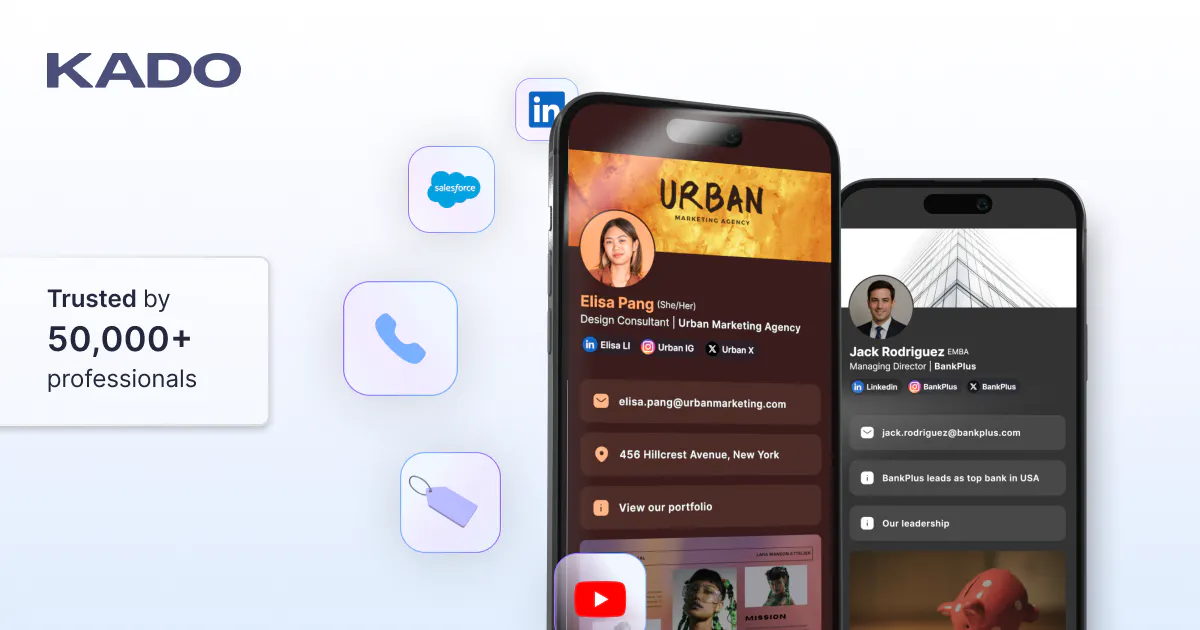
KADO Networks makes it straightforward to build, personalize, and share digital business cards that connect directly to your contact management workflow. Whether you are exploring digital business card options for the first time or looking to scale across a team, KADO has solutions built for your context. Check out financial advisor card solutions or explore virtual card management tools to see how the platform fits your networking goals. Your next great connection starts with a card that works as hard as you do.
Frequently Asked Questions
What does card personalization mean for business networking?
Card personalization refers to tailoring card details, design, and interactive features to maximize your professional impact and networking results. Personalization enhances how your card stands out and supports modern contact management.
Is digital card personalization more effective than traditional methods?
Digital card personalization is more effective for updates, analytics, and global connections, while physical cards may be stronger for first impressions in some industries. Digital excels in convenience and analytics, but physical is favored for tactile recall in certain fields.
How can personalized cards help with lead generation?
Personalized cards let you share targeted messages and capture leads directly, increasing engagement and tracking follow-ups efficiently. Analytics and CTAs in digital cards support stronger lead management at every stage.
Can digital business cards sync with my CRM or contact manager?
Yes, most digital card platforms allow for seamless CRM integration, automate data capture, and reduce manual entry. CRM integration is a key advantage of digital business cards for professionals managing high contact volumes.