Retour à la liste des articles
What is contact management? A guide to efficient networking
Dernière modification: April 24, 2026


Poor contact management costs businesses an average of $13 million annually due to outdated and duplicate data. Contact management focuses on organizing and tracking relationships, while CRM systems include sales and marketing features. Regular data hygiene, standardized processes, and digital tools like digital business cards are essential for effective contact management.
Poor contact management is not just an organizational headache. For the average company, poor data costs $13 million per year in missed opportunities, wasted campaigns, and broken follow-ups. Most professionals assume that saving a phone number or syncing a LinkedIn connection is enough. It is not. Real contact management is a discipline, and getting it wrong quietly erodes your pipeline. In this guide, we break down exactly what contact management means, how it differs from CRM, the most damaging pitfalls teams face, and the best practices that will protect and grow your network in 2026.
Key Takeaways
| Point | Details |
|---|---|
Contact management defined | It organizes and tracks all business relationships for easy access and follow-up. |
Different from CRM | CRM offers automation and analytics beyond basic contact management’s organizing functions. |
Clean data matters | Accurate contacts boost revenue and campaign effectiveness, while neglect costs millions. |
Best practices | Regular reviews, tag taxonomies, and keeping data fresh are essential for success. |
Digital tools advantage | Interactive digital business cards simplify sharing and updating contacts in real time. |
What is contact management?
Contact management is not just storing names and phone numbers in a spreadsheet. It is a structured process. As Indeed defines it, contact management is the process of recording, organizing, and tracking information about a company’s contacts, including customers, prospects, suppliers, and partners. That definition matters because it sets the scope.
Who counts as a contact? For most professionals and business teams, the answer is broader than you might expect:
- Customers and clients who have purchased or are actively engaged
- Leads and prospects at various stages of your pipeline
- Suppliers and vendors whose terms and relationships need tracking
- Partners and collaborators whose context shapes how you communicate
- Referral sources who send business your way regularly
Each of these relationships has different data needs. A customer record might include purchase history and support tickets. A lead record needs source, stage, and last touchpoint. Managing all of this well means you can access the right information at the right moment, without scrambling through email threads or old notes.
The core benefits of solid contact management come down to three things. First, accessible information means anyone on your team can pull up a contact’s full history in seconds. Second, relationship tracking lets you see the last time you connected and what was discussed. Third, easier follow-up means you never let a warm lead go cold because it slipped through the cracks.
Modern digital tools have made this dramatically easier. Cloud-based platforms centralize everything, allow team sharing, and sync across devices. Exploring contact organization essentials is a smart first step if you are building or rebuilding your contact workflow from scratch.
“The goal of contact management is not to collect more contacts. It is to make every contact actionable.”
Pro Tip: When setting up any contact management system, decide upfront what fields are mandatory. Inconsistent records are harder to clean than empty ones.
Contact management vs. CRM: Key differences
People often use contact management and CRM interchangeably. They should not. Understanding the distinction helps you choose the right tool and avoid paying for features you will never use.
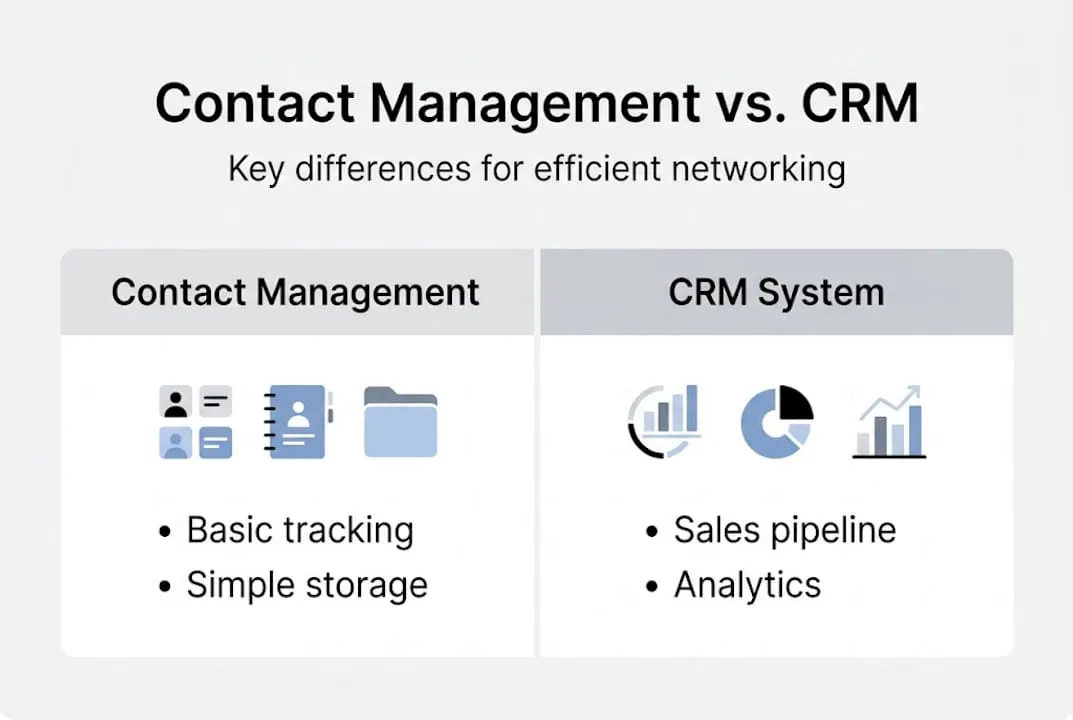
Contact management focuses on contact organization and basic interaction tracking, while CRM systems add sales pipelines, forecasting, marketing automation, and analytics. Think of contact management as the foundation and CRM as the full house built on top of it.
Here is a side-by-side comparison:
| Feature | Contact management | CRM |
|---|---|---|
Store contact details | ✅ | ✅ |
Log interaction history | ✅ | ✅ |
Tag and segment contacts | ✅ | ✅ |
Sales pipeline tracking | ❌ | ✅ |
Revenue forecasting | ❌ | ✅ |
Marketing automation | ❌ | ✅ |
Advanced analytics | ❌ | ✅ |
Ease of use | ⭐️⭐️⭐️⭐️⭐️ | ⭐️⭐️⭐️ |
Cost | Lower | Higher |
So when does a simple contact management tool suffice? If your team is focused on networking, relationship building, and light lead generation without complex sales cycles, you likely do not need a full CRM. A consulting team that attends events, captures leads via digital cards, and follows up by email is a perfect example. Their need is speed and context, not pipeline analytics.
On the other hand, if you are running a sales team with quotas, multi-stage funnels, and revenue targets, a CRM is the right investment. Many platforms now offer both modes, letting you start simple and scale up.
For teams exploring lightweight but effective approaches, consultant contact strategies offer a practical model worth reviewing.
Pro Tip: Before buying any tool, list the five things your team actually does with contact data every week. If none of them involve pipeline stages or forecasting, start with contact management software and upgrade only when the need is clear.
Common challenges: Data decay, duplicates, and context loss
Choosing the right tool is only part of the equation. What quietly destroys even well-designed contact systems is poor data hygiene. And the numbers are stark.
B2B contact data decays at 22.5% per year, and 70.8% of contacts change roles annually. That means more than two thirds of your database could be partially or fully outdated within twelve months. The 2026 database decay data confirms that poor contact records cost companies an average of $13 million per year.

Here is a breakdown of the most common data problems and their impact:
| Problem | Business impact |
|---|---|
Duplicate entries | Wasted outreach, embarrassing double-contacts |
Outdated emails/phones | Bounced campaigns, missed follow-ups |
Inconsistent naming | Failed deduplication, search errors |
Missing context notes | Lost relationship history, cold restarts |
Role changes not updated | Pitching to the wrong decision-maker |
Duplicates are especially tricky. Imagine one contact with four different email addresses spread across your system, each entered by a different team member at a different event. AI tools can flag potential matches, but merging them requires human judgment. Which email is current? Which notes are still relevant? Automation gets you 80% of the way there. The last 20% needs a person.
⚠️ “AI aids flagging, but humans must handle merges to preserve relationship context.”
Practical remedies include:
- Quarterly database reviews to catch stale records before they damage campaigns
- Mandatory field standards so every entry follows the same format from day one
- Automated bounce tracking to flag dead emails immediately
- Source tagging so you always know where a contact came from
For teams that rely on accurate, real-time contact capture, digital card contact accuracy is a model worth studying. When contacts update their own information through a shared digital card, the data stays fresh without extra effort on your end.
Best practices and tools for modern contact management
Knowing the risks, what can you actually do to protect and maximize your contact data? Here is a step-by-step checklist that works for individual professionals and larger teams alike.
- Standardize your naming convention. Always use First Last format. No nicknames, no initials unless they are the legal name. This single step prevents most deduplication failures.
- Build a tag taxonomy before you start adding contacts. Use a structure like source:type:priority (for example, event:lead:high). Tags applied inconsistently are nearly useless.
- Log every interaction, not just meetings. A quick email reply or a LinkedIn comment counts. Interaction timelines give you context that static notes never can.
- Set a quarterly review calendar. Block time every three months to audit your database for bounced emails, role changes, and duplicates.
- Use AI for flagging, not deciding. Let automation surface potential duplicates and outdated records, then have a human confirm before merging or deleting.
- Integrate your contact capture tools. Digital business cards, contact forms, and event badge scans should all feed into one system automatically.
The payoff for doing this well is significant. Clean data boosts revenue by 66%, improves campaign response rates by 20%, and increases close rates by 15%. Those are not marginal gains. They are the difference between a pipeline that hums and one that stalls.
For teams across different sectors, digital cards for all industries have become a practical entry point for cleaner contact capture. And for niche professionals like wealth managers, financial advisor digital cards show how tailored solutions can make a real difference in relationship quality.
Pro Tip: Treat your contact database like a living document, not an archive. If a record has not been touched in eighteen months and has no planned follow-up, it is probably time to archive or remove it.
A fresh perspective: Why simplicity and human context still matter in contact management
Here is something the software vendors will not tell you: more features do not mean better relationships. We have seen teams invest in sprawling CRM platforms with AI-powered everything, only to end up with bloated databases that nobody trusts and workflows that nobody follows.
The uncomfortable truth is that standardized naming, tag taxonomies, and human review consistently outperform complex automation when it comes to preserving the nuance that makes relationships valuable. A note that says “met at Austin conference, interested in Q3 budget cycle, prefers text” is worth more than a hundred automated data points.
Simplicity scales. A clean, well-tagged contact record that every team member understands is more powerful than a sophisticated system that only one person knows how to use. Interactive business cards support this philosophy perfectly. They capture context at the moment of connection, with minimal friction and maximum accuracy.
Layering in automation makes sense once your foundation is solid. But if you automate a messy system, you just get messy results faster. Start with context-driven contact management principles, get the basics right, and then let technology amplify what is already working.
Enhance your contact management with digital business cards
If you are ready to put these ideas into action, digital business cards are one of the fastest ways to modernize how you capture and maintain contacts.

KADO Networks makes it easy for professionals and teams to share, capture, and organize contacts in real time. Whether you exchange details via NFC business cards at a conference or share a link through QR code business cards in a virtual meeting, every new connection flows directly into your contact management solution without manual entry. Your contacts always have your latest details, and you always have theirs. It is a cleaner, faster way to build the kind of accurate, context-rich database that actually drives networking and lead generation forward.
Foire aux questions
What is the main purpose of contact management?
Contact management helps professionals organize and track vital information about their business relationships, making networking, follow-up, and lead generation faster and more reliable.
How does contact management software differ from a CRM?
Contact management software stores contact info and interaction history, while CRM systems add pipelines, analytics, and workflow automation for the full customer journey.
How often should you refresh your contact database?
Most experts recommend quarterly reviews, especially since data can decay at rates exceeding 70% annually due to role changes and outdated information.
What are best practices for organizing contacts?
Use consistent naming, apply structured tag taxonomies, maintain interaction timelines, and always have a human review before merging duplicates to preserve relationship context.