Go back to list of posts
From $2.50/seat: Turn Business Card Scans Into CRM Pipeline with KADO
Last modified: October 2, 2026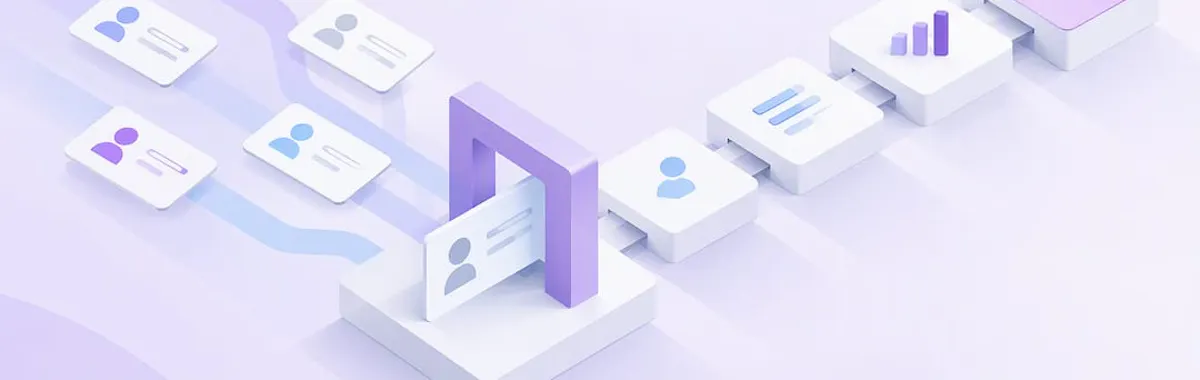


Digital business card scans are measurable the moment someone taps an NFC card, scans a QR code, or opens a shared link; but a scan by itself is just an engagement signal, not a lead. The action that actually matters: capture contact data at the moment of the scan and push that scan event, with identifiers and UTMs attached, straight into your CRM. Everything else in this guide builds on that one step.
Tracking only the number of scans inflates engagement metrics without indicating actual leads or revenue opportunities. Sending scan event data directly into a CRM with attached identifiers and UTM tags is essential for meaningful attribution and follow-up. Using native CRM connectors or middleware like Zapier ensures accurate, deduplicated lead capture and proper source tagging before an event. Segmenting scan data by rep, event, and action, such as form submissions or meeting bookings, allows better coaching and ROI measurement. Implementing safeguards like branded short URLs, link previews, and activity monitoring reduces QR code fraud risks.
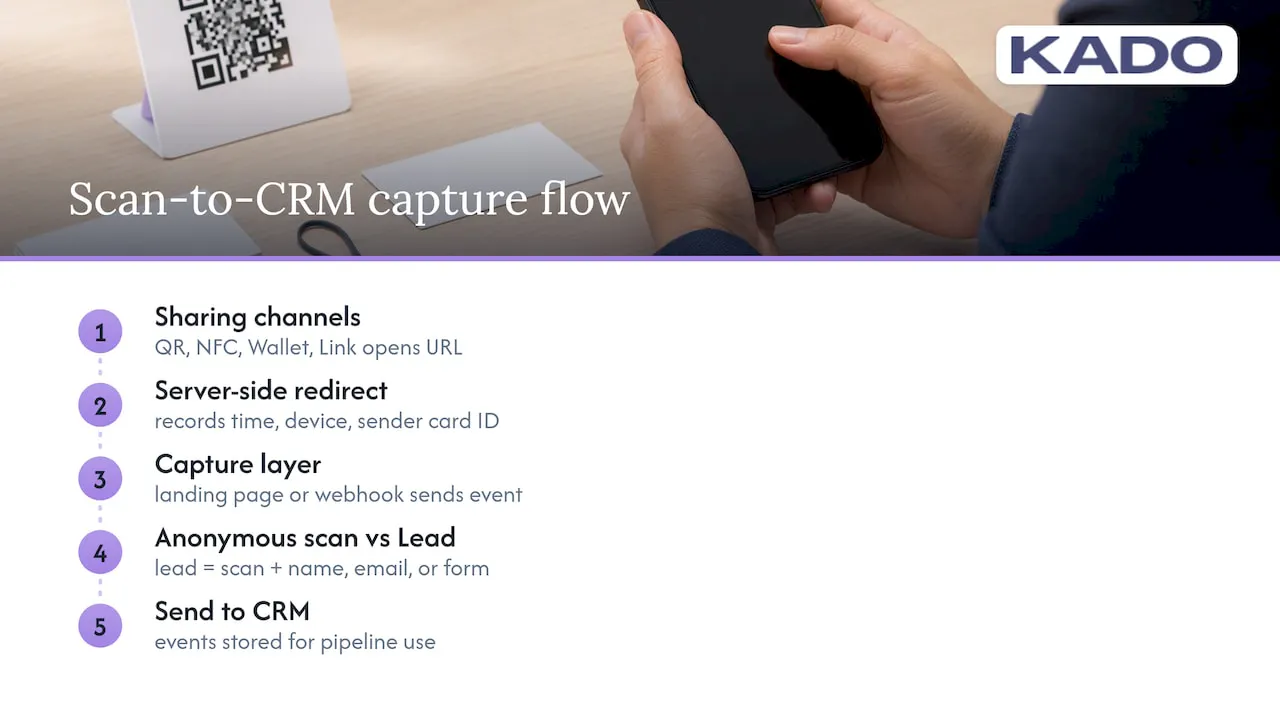
How scan tracking actually works across QR, NFC, link, and wallet Every sharing channel on a digital business card reports a slightly different kind of event, but they all boil down to the same thing: a URL gets hit, and the platform logs who, when, and how.
A QR code scan opens a link in the recipient’s browser, which fires a server-side redirect that records the timestamp, device type, and an identifier tied to the sender’s specific card. NFC taps work the same way underneath, just without the camera step. Wallet passes (Apple Wallet or Google Wallet) log opens and updates, which gives a softer signal than a click but still shows ongoing engagement. Link shares, like a card URL dropped into an email signature, behave exactly like a QR scan once opened.
The practical capture layer sits behind that redirect: a landing page or a lightweight webhook that fires the moment the link resolves, sending the event (who shared it, who opened it, what UTM tags were attached) to wherever you want it stored. This is the difference between a raw scan and an identified lead. A scan is an anonymous click. A lead is a scan plus a name, email, or submitted form, something you can actually follow up on. Treat the two differently in your reporting, because conflating them inflates your numbers without improving your pipeline.
Which metrics sales teams should actually track
Not every number a dashboard throws at you deserves a place on your weekly report. Some tell you about reach, others tell you about intent, and only a few predict revenue.
- Total scans: raw volume per card, rep, or event, useful for spotting reach trends over time.
- Unique scanners: distinct people who engaged, which filters out repeat opens from the same contact.
- Save or export actions: when someone saves your contact to their phone, a stronger intent signal than a scan alone.
- Form conversions: scans that turned into a submitted lead form, your cleanest handoff point to sales.
- Meetings booked: the metric that ties scan activity to a calendar outcome.
- Rep-level scans per event: who is actually driving engagement at a conference or trade show.
Read these against your event goals, not in isolation. A rep with 200 scans but five form conversions need a different coaching conversation than one with 40 scans and 15 conversions. For a weekly rep dashboard, keep it to scans, saves, and conversions. For a quarterly event ROI view, add meetings booked and, where you can trace it, closed revenue.
Step-by-step: capturing scans and syncing them to your CRM
Three workflows cover most sales and business development teams, ranging from fully managed to fully custom.
- Native CRM connector: Connect your card platform directly to Salesforce, HubSpot, or Microsoft Dynamics, map scan fields to contact and activity objects, choose which events create a new contact versus a logged activity, and set dedupe rules so a repeat scanner updates an existing record instead of cloning it.
- Webhooks through middleware: For CRMs without a native connector, send scan events to Zapier or Make, enrich the payload with campaign or event tags, and push the result into your CRM as a custom activity type, such as “card scanned at conference.”
- UTM-tagged links with a short form: Append UTM parameters to every shared card URL, route scanners through a short lead form before they land on your full profile, and have the form write directly to your CRM with source and campaign fields already tagged.
Pro Tip: Run five test scans from different devices before an event, and confirm each one lands in your CRM with the correct source tag before you rely on the workflow live.
Before you trust any of these in production, run through a short checklist: confirm field mapping matches your CRM schema, set dedupe logic on email or phone number, automate a follow-up task or sequence the moment a lead lands, and monitor the first week of real scans for duplicate contacts or missing tags. Catching a mapping error after a 500-person conference is a much bigger cleanup job than catching it beforehand.
Turning scan data into rep coaching and attribution
Scan counts alone tell you almost nothing about whether networking is producing revenue. Segmenting that data by rep, event, and card variant is what turns it into something actionable.
If one rep’s card consistently drives a higher save rate than the rest of the team, that is worth a conversation. Maybe they lead with a meeting-booking link instead of a static profile, or they mention their card earlier in the conversation. Those patterns are coaching material, not guesswork.
Build a simple attribution chain: scanned contact leads to meeting booked, which leads to opportunity created, which leads to revenue. Run that query by event, by quarter, so you can tell which conferences and which reps are actually worth the travel budget. A partner resource for rep-level reporting is worth a look if you want to go deeper on building these coaching dashboards without starting from scratch.
Keeping scans safe: QR fraud risks and how to avoid them
QR codes carry a real fraud risk, and it is worth building safeguards into how your team shares and prints them. The FTC warns that scammers hide harmful links inside QR codes to steal personal information, often by spoofing a legitimate-looking destination. A 2026 FTC consumer alert reiterates the same warning and recommends previewing links before tapping, keeping device software current, and reporting suspicious codes to ReportFraud.ftc.gov.
Practical safeguards for a sales team:
- Use HTTPS links on a branded short domain so recipients recognize where a scan leads before they tap.
- Preview the destination URL whenever you print a new QR code, especially for one displayed in a public or shared space.
- Train reps never to post an unbranded, unverified QR code anywhere outside your approved card platform.
- Monitor link activity logs regularly so an unusual spike or an unfamiliar redirect gets flagged early.
If a recipient reports a suspicious QR code or link tied to your card, revoke or replace the link immediately, check your platform’s access logs for the source of the issue, and report the incident through the appropriate fraud channel.
Case studies in effective scan tracking
A recruiting team working a university career fair tagged every QR share with a UTM for the specific school, then synced scan events into their CRM as new contact records with a “career fair” source tag. When follow-up emails went out the next week, recruiters could filter by school and prioritize outreach based on which campuses produced the highest save rates, not just the highest raw scan counts.
A field sales team at a regional trade show split its reps across two card variants, one leading with a product demo link and one leading with a meeting scheduler. Rep-level scan data showed the scheduler variant produced nearly double the form conversions, so the team standardized on it for the next event rather than guessing which approach worked better.
A business development team layered scan-to-meeting attribution onto its CRM pipeline and found that one annual conference, previously assumed to be a top performer based on scan volume alone, actually produced fewer booked meetings per scan than two smaller regional events. That reallocation of travel budget came directly from comparing scan counts against the full attribution chain rather than treating scans as the end metric.
Why dashboards alone don’t prove networking ROI
A platform dashboard tells you engagement happened: a scan, a save, a wallet open. It rarely tells you whether that engagement turned into revenue, and treating it as the final answer is where most teams stop too early.
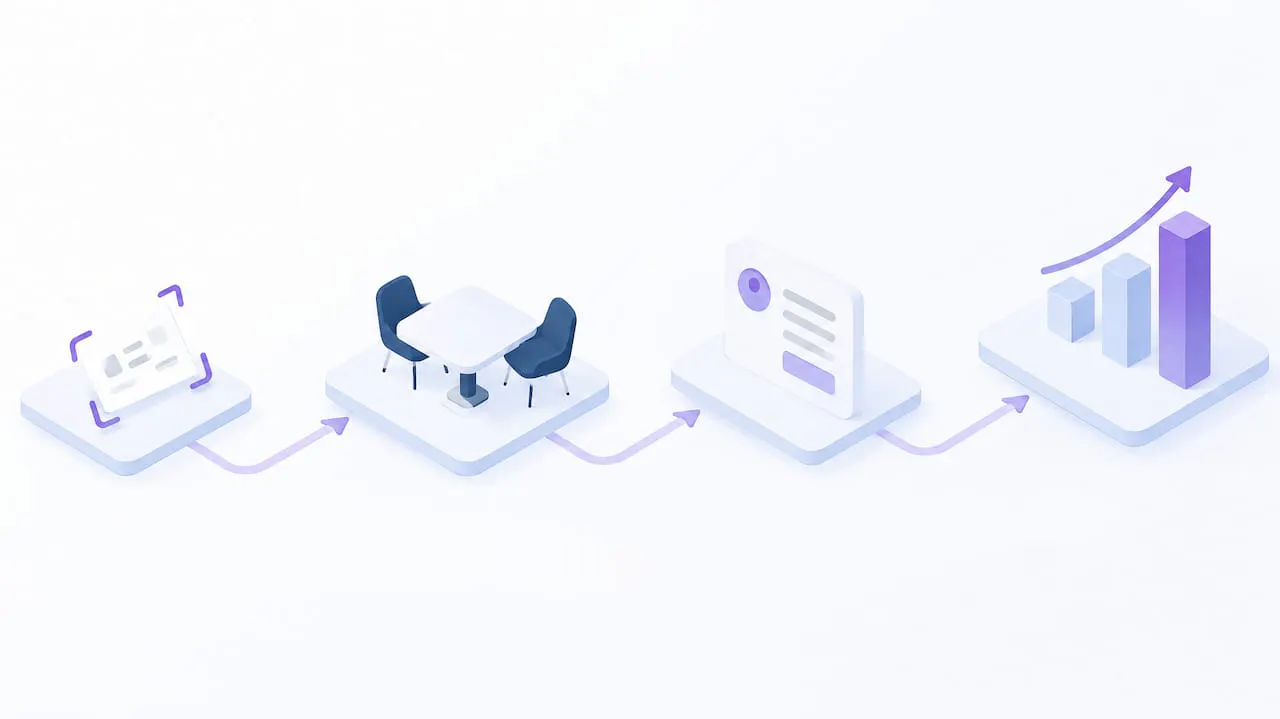
The fix is a four-step operational roadmap: capture contact data at the point of scan, map that data into CRM fields that match your sales process, automate the follow-up so no lead sits untouched, and measure conversion all the way to closed revenue. Bitly’s guidance on UTM parameters makes the same point from the marketing side: a link click only becomes attributable once it is tagged and synced into a system built to track outcomes, not just traffic. Platform features like analytics, lead capture forms, and CRM integrations exist to support that roadmap, not replace it.
— KADO
How KADO supports this workflow
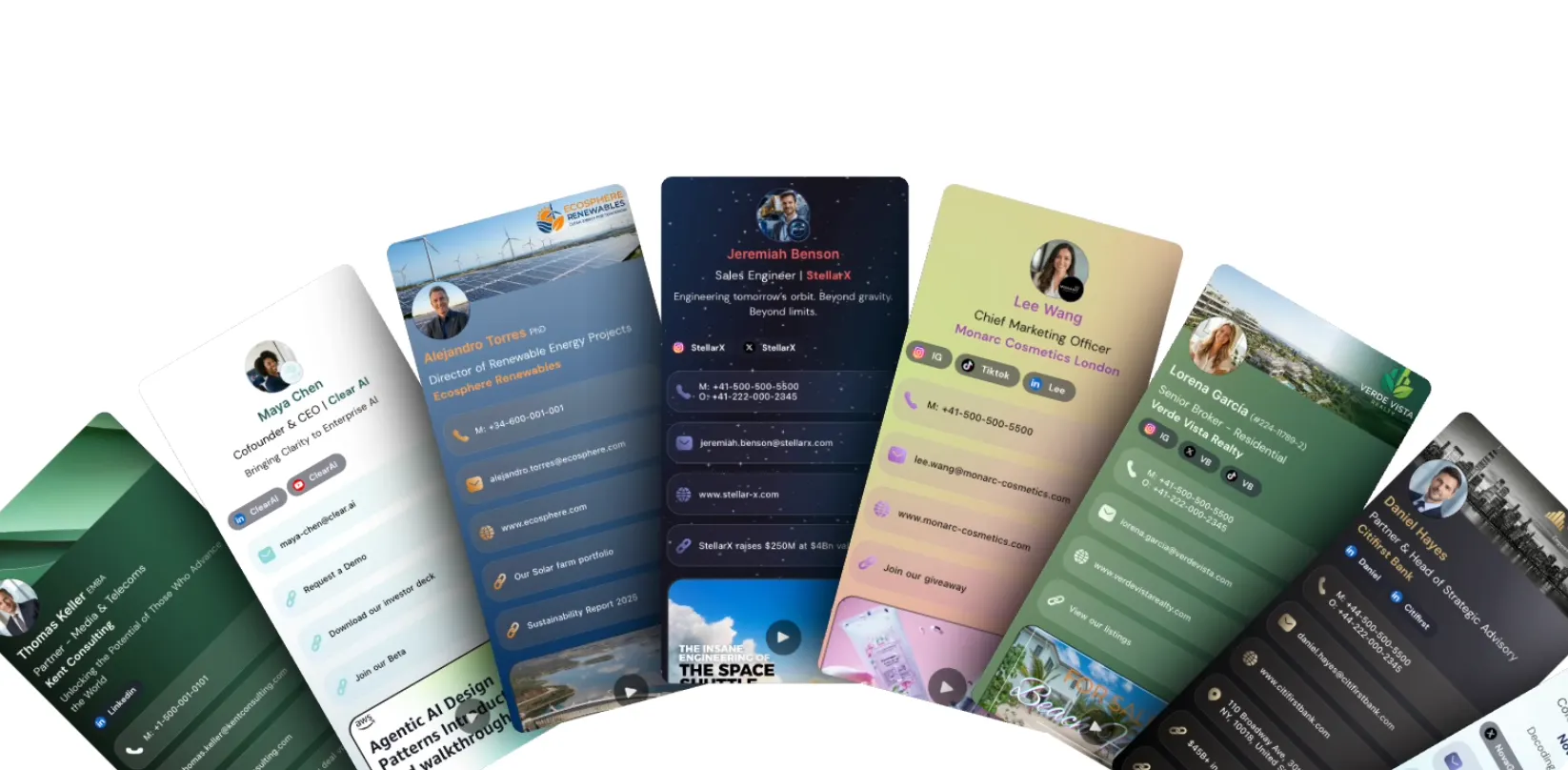
We built KADO around the idea that a scan should never dead-end at a dashboard. Our digital business cards support QR, NFC, and wallet pass sharing, all backed by lead capture forms that write directly into your CRM instead of sitting in an export file waiting for someone to clean it up.
Teams using CRM integrations typically see faster lead entry, fewer duplicate contacts, and clearer rep-level attribution once scan events are tagged and flowing automatically. Our team analytics and admin controls give managers the same rep-level visibility this guide walks through, without a separate reporting tool bolted on. If you want to see how the workflows above map onto actual plans and pricing, our pricing page breaks down Networker Lite, Networker, Business Developer, and Enterprise tiers.
Sources
Frequently Asked Questions
What counts as a business card scan versus a lead?
A scan is any opened QR code, NFC tap, or shared link, an anonymous engagement event with a timestamp and device metadata. A lead is a scan paired with submitted contact information, typically through a form, which is why tracking both separately matters for accurate pipeline reporting.
How do I sync scan data to Salesforce or HubSpot?
Most digital business card platforms offer a native connector that maps scan and lead fields directly to contact and activity objects inside Salesforce, HubSpot, or Microsoft Dynamics. When a native connector is not available, routing scan webhooks through Zapier or Make into your CRM works as a reliable middle step.
Are QR codes on business cards safe to use?
QR codes themselves are safe, but the FTC has warned about scammers hiding malicious links inside them. Using a branded, HTTPS-protected short domain and previewing links before printing reduces that risk significantly.
What is a trackable QR business card?
A trackable QR business card links to a URL that logs scan events, including timestamp, device type, and often a UTM-tagged source, instead of pointing to a static, unmeasured page. That tracking layer is what lets a sales team tell which rep, event, or campaign actually drove engagement.
How much does KADO cost for a sales team?
Our Networker plan runs $2.50 per month per seat, and our Business Developer plan, which adds more advanced lead capture and analytics features, runs $4 per month per seat. Enterprise pricing is available on request for teams needing admin controls and compliance features at scale.