Volver a la lista de publicaciones
Mejores Tarjetas de Visita Digitales para Empresas en 2026 (Revisión Completa)
Última modificación: March 11, 2026


A nivel empresarial, una tarjeta de visita digital no es simplemente una herramienta de networking — pasa a formar parte de vuestra infraestructura. Toca los workflows comerciales, la incorporación de recursos humanos, la gobernanza IT, el cumplimiento normativo, el control de marca y la visibilidad de los datos.
Cuando cientos o miles de empleados comparten a diario sus datos de contacto, incluso las pequeñas lagunas se convierten en riesgos operativos. ¿Quién controla el branding? ¿Cómo se aprovisionan o eliminan los usuarios? ¿Adónde van los datos? ¿Pueden los leads enrutarse automáticamente hacia los sistemas CRM existentes? ¿Es la plataforma conforme al RGPD y está certificada bajo SOC 2?
La mayoría de los artículos comparativos se centran en el diseño o la facilidad de uso. Los compradores empresariales evalúan de forma diferente. Examinan el control de acceso basado en roles, los análisis centralizados, la escalabilidad, la integración con Active Directory, la sincronización con RRHH, la preparación para el cumplimiento normativo, la gestión multi-entidad y la adaptabilidad multilingüe.
En esta revisión, hemos testado las principales plataformas desde una perspectiva empresarial. En lugar de rankings, utilizamos un framework estructurado para evaluar gobernanza, profundidad de las integraciones y escalabilidad — para que podáis determinar qué solución se alinea con el modelo operativo de vuestra organización.
Qué hace que una tarjeta de visita digital sea la "mejor" para empresas en 2026
A escala empresarial, el "mejor" se define por la gobernanza, la integración y el control del riesgo — no por el aspecto del tarjeta. La plataforma debe soportar las políticas IT, los estándares de cumplimiento y la complejidad organizativa sin generar fricción operativa.
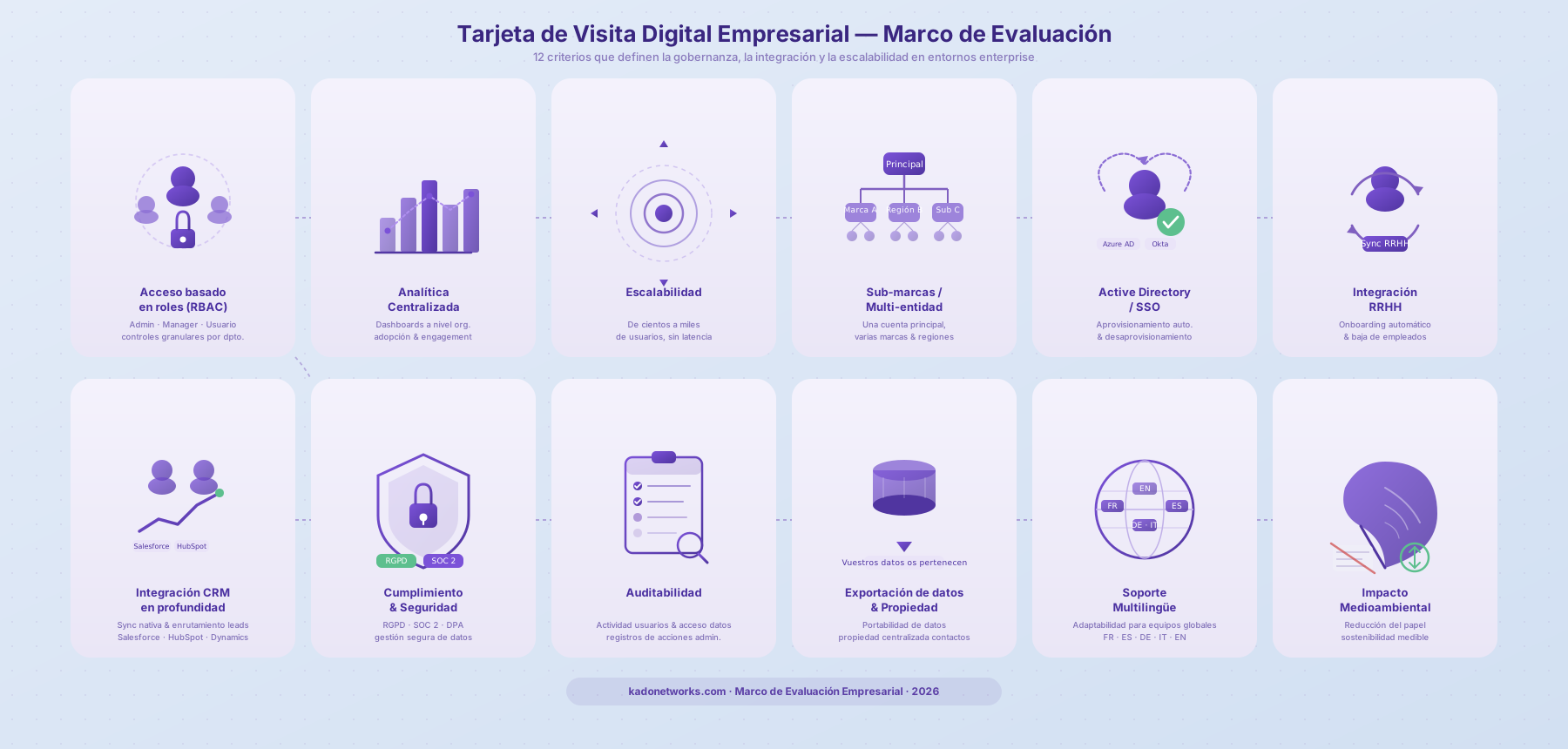
A continuación, el framework de evaluación que utilizamos para entornos empresariales:
| Criterio de evaluación | Qué significa para los equipos |
|---|---|
Control de acceso basado en roles (RBAC) | Niveles de permisos granulares (admin, manager, usuario) para controlar visibilidad y acciones entre departamentos. |
Análisis centralizados | Dashboards a nivel organizativo para monitorizar adopción, engagement y rendimiento entre regiones o unidades de negocio. |
Escalabilidad | Capacidad de soportar cientos o miles de usuarios sin degradación del rendimiento. |
Gestión de sub-marcas / multi-entidad | Gestionar múltiples marcas, regiones o filiales bajo una cuenta principal con controles separados. |
Integración Active Directory / SSO | Aprovisionamiento y desaprovisionamiento automatizados a través de Azure AD, Okta o sistemas de identidad similares. |
Integración RRHH | Sincronización con sistemas de RRHH para la incorporación o eliminación automática de empleados. |
Profundidad de integración CRM | Integraciones nativas con Salesforce, HubSpot, Dynamics, etc., incluyendo lógica de enrutamiento de leads. |
Cumplimiento y seguridad | Conformidad con el RGPD, certificación SOC 2, claridad en los DPA y prácticas seguras de gestión de datos. |
Auditabilidad | Visibilidad sobre la actividad de los usuarios, el acceso a los datos y las acciones administrativas. |
Exportación de datos y propiedad | Portabilidad de datos clara y propiedad centralizada de los contactos de la empresa. |
Soporte multilingüe | Adaptabilidad de la plataforma para equipos globales que operan en varios idiomas. |
Impacto medioambiental | Reducción de tarjetas impresas y contribución medible a la sostenibilidad. |
Para los compradores empresariales, la pregunta no es simplemente "¿Pueden los empleados compartir sus datos de contacto?" — sino si la plataforma se integra de forma limpia en la estructura operativa y de gobernanza existente de la empresa.
Tabla de comparación
A continuación, una comparativa centrada en la gobernanza de las principales plataformas de tarjetas de visita digitales, evaluadas exclusivamente desde una perspectiva empresarial.
| Categoría | Capacidad | KADO | Blinq | Popl | Wave |
|---|---|---|---|---|---|
Control de acceso | Permisos basados en roles | ✅ ⭐️ Sólido | ✅ Si | ⚠️ Limitado | ✅ Si |
Visibilidad admin | Dashboard org centralizado | ✅ ⭐️ Sólido | ✅ ⭐️ Sólido | ⚠️ Limitado | ✅ Si |
Gestión multi-entidad | Sub-marcas / Filiales bajo una cuenta | ✅ ⭐️ Sólido | ⚠️ Limitado | ❌ No | ⚠️ Limitado |
Escalabilidad | Soporta grandes equipos distribuidos | ✅ Si | ✅ Si | ⚠️ Limitado | ✅ Si |
Gestión de identidades | Active Directory / SSO | ✅ ⭐️ Sólido | ⚠️ Limitado | ⚠️ Limitado | ✅ Si |
Integración RRHH | HRM | ✅ Si | ❌ No | ✅ Si | ❌ No |
Profundidad CRM | Sync y enrutamiento CRM nativos | ✅ Si | ✅ ⭐️ Sólido | ⚠️ Limitado | ✅ Si |
Almacenamiento centralizado de leads | Propiedad de contactos a nivel empresarial | ✅ Si | ✅ Si | ⚠️ Limitado | ✅ Si |
Análisis de equipo | Insights de rendimiento a nivel org | ✅ ⭐️ Sólido | ✅ Si | ❌ No | ✅ Si |
Cumplimiento | GDPR & SOC 2 | ✅ Si | ✅ Si | ✅ Si | ✅ Si |
Soporte multilingüe | Adaptabilidad global | ✅ ⭐️ Sólido | ⚠️ Limitado | ⚠️ Limitado | ⚠️ Limitado |
Soporte offline | Capacidad QR sin conexión | ✅ Si | ✅ Si | ✅ Si | ✅ Si |
Impacto medioambiental | Digital-first, reducción del papel | ✅ Si | ✅ Si | ✅ Si | ✅ Si |
Modelo de precios enterprise | Plan enterprise personalizado | ✅ Si | ✅ Si | ⚠️ Limitado | ✅ Si |
Mejores opciones de tarjetas de visita digitales para empresas en 2026 — Testadas y revisadas
KADO
Visión general
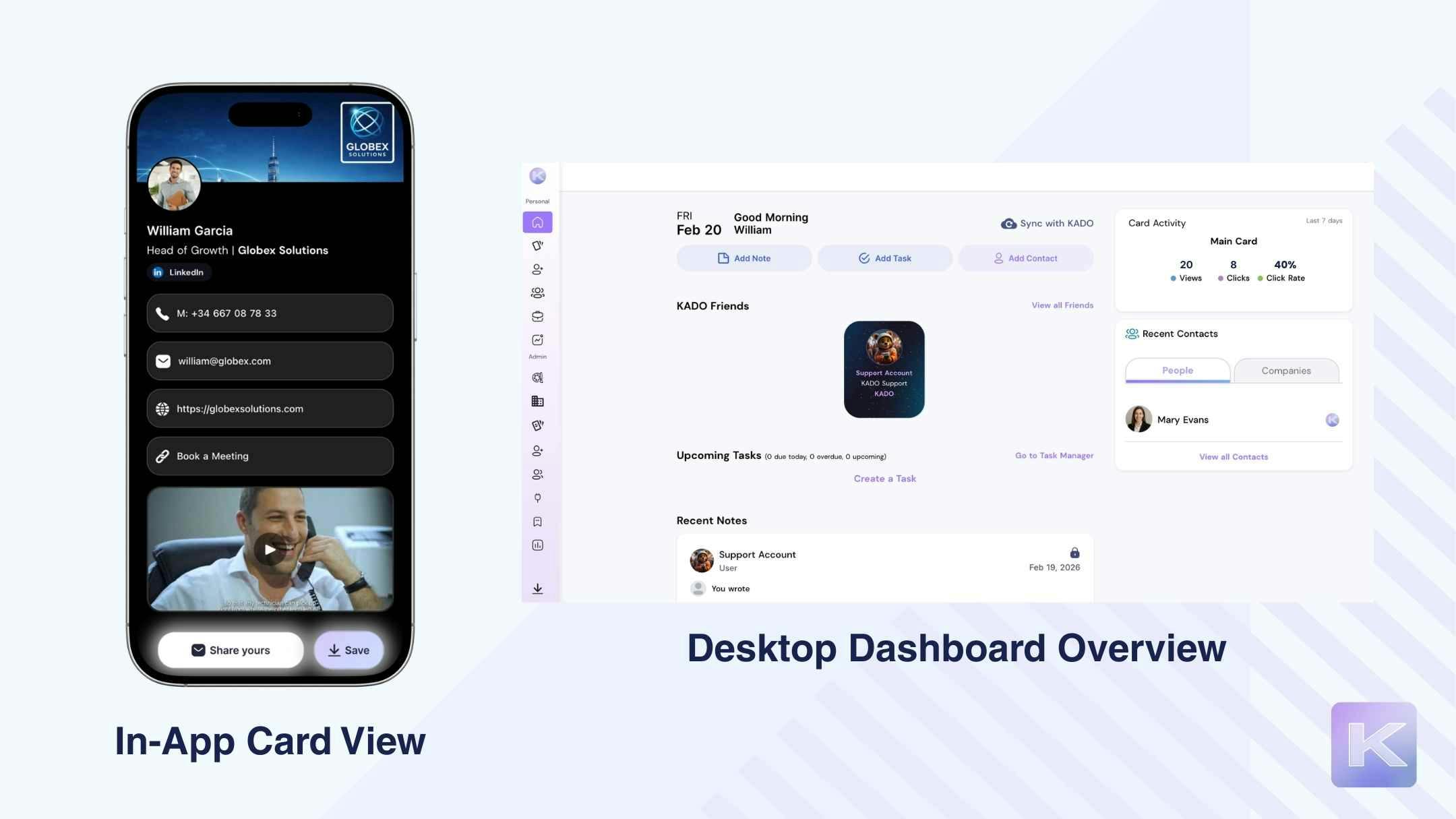
Desde una perspectiva empresarial, KADO está estructurado en torno a la gobernanza más que al simple hecho de compartir. El despliegue comienza de forma centralizada: los administradores definen plantillas de marca, niveles de permisos y roles de acceso antes de distribuir la solución a los empleados. Con el control de acceso basado en roles, las organizaciones pueden separar a los admins globales, los managers regionales y los usuarios estándar sin perder la supervisión.
La integración con los sistemas de identidad (SSO / Active Directory) permite el aprovisionamiento y desaprovisionamiento automatizados, reduciendo el trabajo manual de los equipos de RRHH o IT. Los entornos de sub-marca y multi-entidad pueden operar bajo una estructura principal mientras mantienen la coherencia de marca entre regiones.
La captura de leads alimenta un almacenamiento centralizado, y las integraciones CRM (Salesforce, HubSpot, Dynamics a través de workflows directos o conectados) permiten el enrutamiento hacia los pipelines existentes. Los dashboards enterprise ofrecen visibilidad sobre el engagement, el uso y la adopción entre equipos.
En resumen, la plataforma funciona menos como una herramienta de tarjetas y más como una capa de infraestructura de networking estructurada.
| Puntos fuertes | Limitaciones según los criterios |
|---|---|
✅ Permisos basados en roles robustos y control admin | ❌ Las funcionalidades avanzadas de gobernanza e integración requieren configuración enterprise-tier |
✅ Análisis centralizados y visibilidad a nivel organizativo | ❌ La complejidad de configuración aumenta con los despliegues multi-región |
✅ Capacidad de gestión multi-entidad / sub-marca | ❌ Los equipos más pequeños pueden no necesitar toda la estructura enterprise |
✅ Soporte Active Directory / SSO | |
✅ Onboarding adaptado a RRHH y control del ciclo de vida | |
✅ Captura de contactos bidireccional + escaneo por IA | |
✅ Conforme al RGPD y certificado SOC 2 | |
✅ Análisis móvil + escritorio (vistas, clics, datos de engagement) | |
✅ Análisis móvil + escritorio (vistas, clics, datos de engagement) |
Resumen de precios
KADO ofrece un modelo de precios enterprise personalizado basado en el tamaño de la organización, los requisitos de integración y la complejidad de la gobernanza.
Los planes enterprise incluyen habitualmente:
- Controles admin avanzados
- Gestión de identidades (SSO / AD)
- Gestión multi-entidad
- Análisis centralizados
- Soporte de onboarding dedicado
Los precios se facilitan mediante consulta. Contactar con el equipo de ventas
Casos de uso más adecuados
KADO está especialmente indicado para:
- Organizaciones comerciales globales que requieren enrutamiento CRM y visibilidad centralizada
- Empresas con múltiples filiales o sub-marcas
- Sectores regulados que requieren cumplimiento normativo y preparación para auditorías
- Organizaciones IT-driven que necesitan automatización del ciclo de vida de identidades
- Empresas en expansión internacional que requieren una gobernanza de marca coherente
Para las empresas donde el networking se cruza con la infraestructura comercial, el cumplimiento normativo y los sistemas de RRHH, KADO se integra de forma más natural en la arquitectura operativa existente que las herramientas centradas exclusivamente en la distribución.
Popl
Visión general
Desde una perspectiva empresarial, Popl se posiciona como una solución de tarjetas de visita digitales escalable con una gobernanza de equipo estructurada. Los roles de admin están claramente definidos (Full Team Admin, Subteam Admin, Member), lo que permite a las organizaciones controlar visibilidad, facturación e insights de rendimiento entre equipos.
El despliegue enterprise se realiza habitualmente a través del dashboard de escritorio, donde los admins pueden gestionar miembros, subequipos, plantillas e integraciones. Las integraciones CRM como Salesforce y HubSpot están disponibles, permitiendo que los leads capturados se sincronicen con los workflows existentes. Los análisis de equipo ofrecen visibilidad de alto nivel sobre el engagement y el rendimiento.
Sin embargo, gran parte de la funcionalidad enterprise está superpuesta a un producto que sigue muy centrado en el uso individual de la tarjeta. Aunque existe gobernanza, la automatización del ciclo de vida de identidades (como integraciones HR o Active Directory más profundas) es menos prominente en comparación con las plataformas orientadas a la infraestructura.
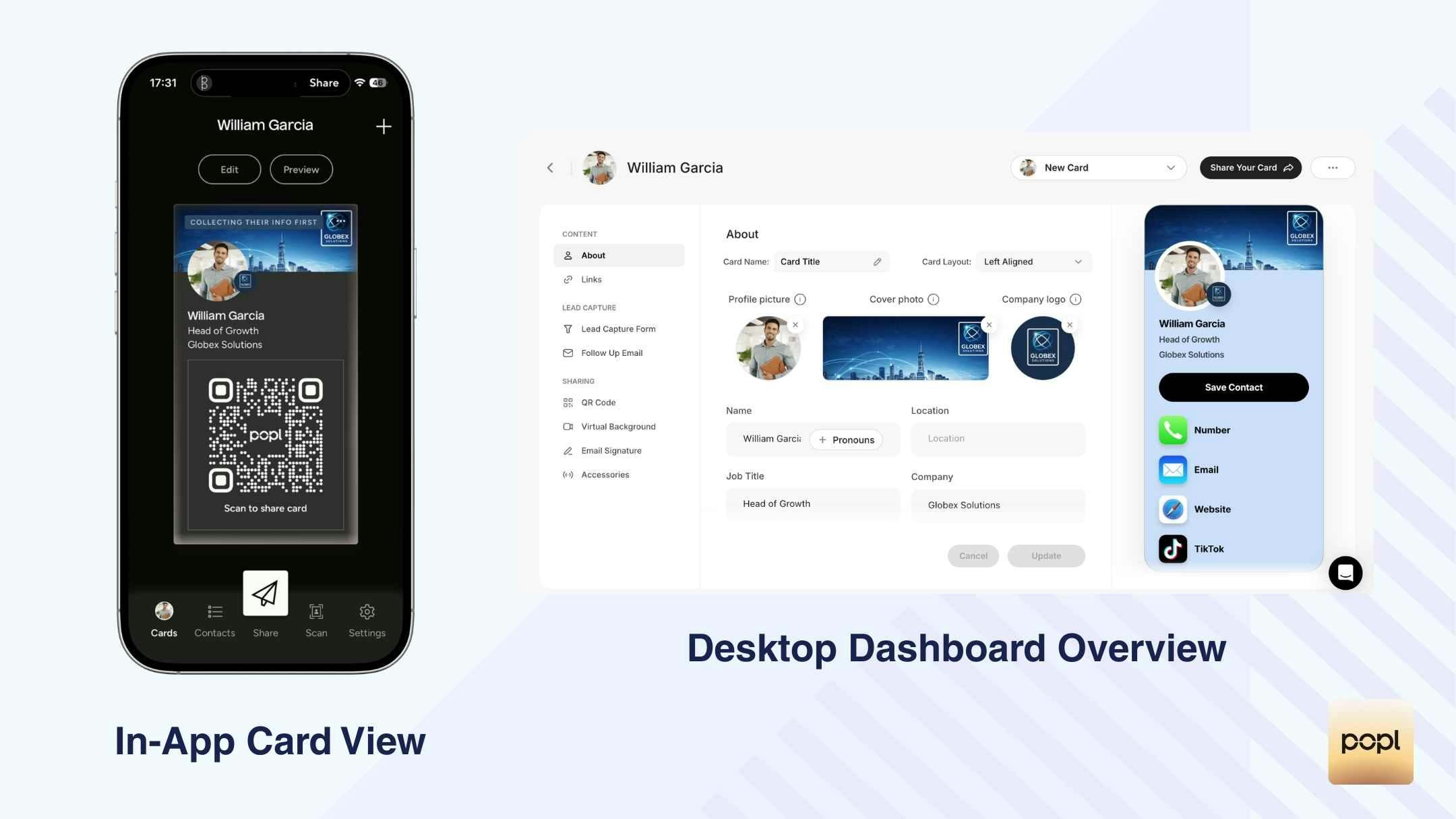
| Puntos fuertes | Limitaciones según los criterios |
|---|---|
✅ Roles de equipo claramente estructurados y jerarquía admin | ❌ La automatización del ciclo de vida de identidades es limitada (sin visibilidad profunda de sincronización HR) |
✅ Fuertes integraciones CRM (Salesforce, HubSpot, Zapier, Dynamics) | ❌ El control multi-entidad / sub-marca está menos estructurado |
✅ Dashboard centralizado de análisis de equipo | ❌ Los análisis son de alto nivel en lugar de operativamente profundos |
✅ Controles de plantillas y restricciones de marca | ❌ Muchas configuraciones enterprise requieren gestión desde escritorio |
✅ Conforme al RGPD y certificado SOC 2 | ❌ Diseño de workflow principalmente centrado en el intercambio de tarjetas |
Resumen de precios
Popl ofrece precios enterprise mediante consulta directa. Los precios no se muestran públicamente para los tiers enterprise y requieren contactar con el equipo de ventas. Los planes enterprise incluyen habitualmente:
- Controles avanzados de equipo
- Integraciones CRM
- Gestión de subequipos
- Análisis centralizados
- Onboarding personalizado
Casos de uso más adecuados
Popl es más adecuado para:
- Organizaciones medianas y grandes centradas en ventas sobre el terreno y distribución en eventos
- Empresas que priorizan roles de admin estructurados y sincronización CRM
- Equipos que quieren un intercambio de tarjetas escalable con capas de gobernanza
Está menos orientado a la infraestructura y puede requerir sistemas adicionales para necesidades más profundas de automatización HR o gobernanza multi-entidad.
Blinq
Visión general
Desde una perspectiva empresarial, Blinq ofrece planes de equipo estructurados pero funciona más como una plataforma de distribución de tarjetas escalable que como una herramienta de infraestructura orientada a la gobernanza. Las funcionalidades enterprise son accesibles principalmente a través del escritorio, donde los admins pueden gestionar usuarios, asignar branding y supervisar el uso.
La configuración del equipo es posible, pero requiere una actualización y la navegación por flujos web externos en lugar de una integración profunda en la experiencia de la app. El control de marca y las plantillas existen en los tiers de pago, lo que permite a las organizaciones estandarizar logotipos y colores en las tarjetas de los empleados.
Las integraciones CRM (HubSpot, Salesforce, Zapier, Google Workspace, Active Directory, Okta) se referencian externamente, pero la visibilidad sobre la profundidad del enrutamiento y la automatización del ciclo de vida es limitada dentro de la propia plataforma. Las capacidades analíticas a nivel enterprise son mínimas, sin inteligencia de engagement avanzada ni seguimiento a nivel de actividad.
En general, Blinq soporta la gestión centralizada y la gobernanza básica, pero no parece diseñado para una profundidad operativa de nivel enterprise.
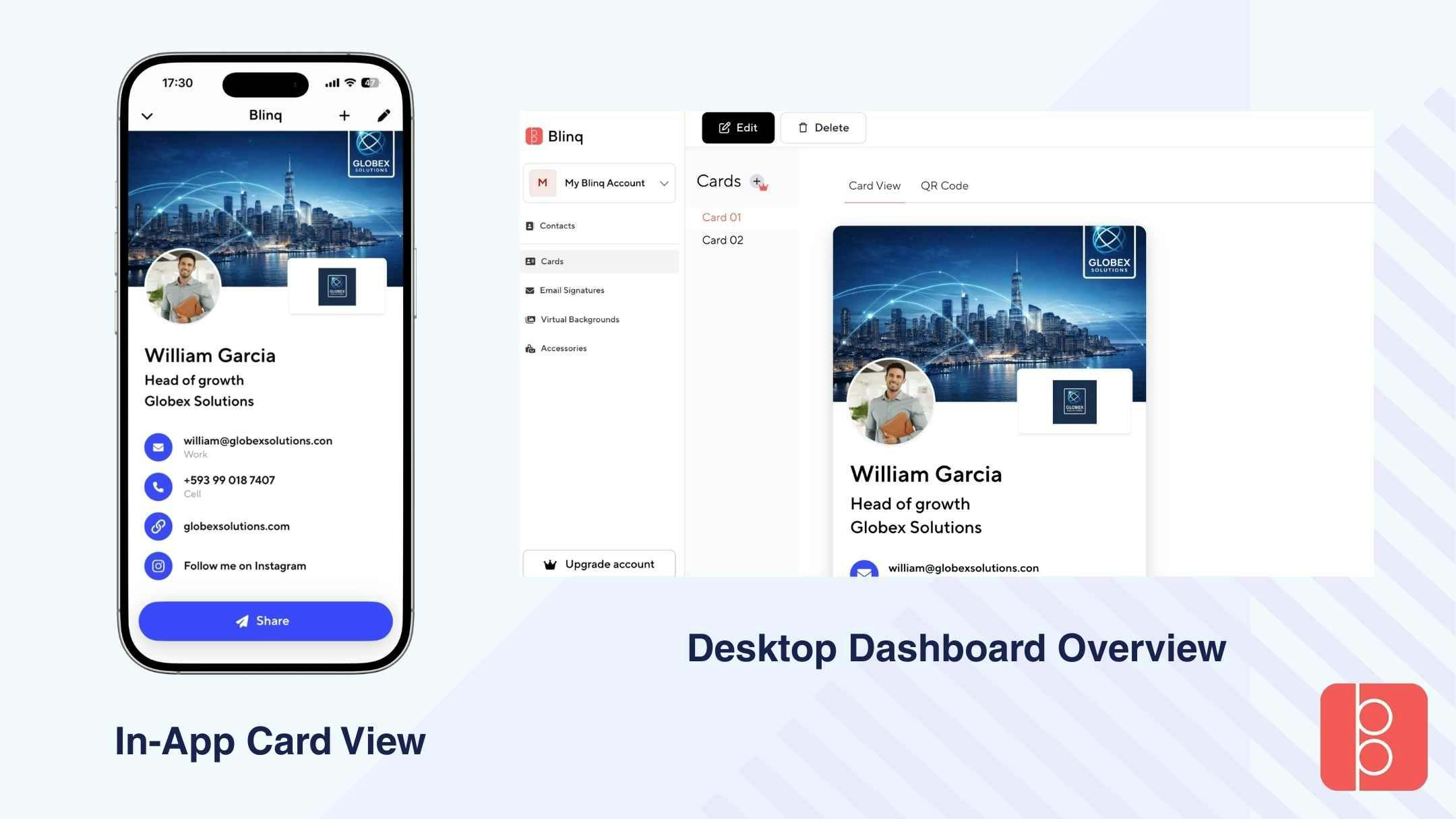
| Puntos fuertes | Limitaciones según los criterios |
|---|---|
✅ Gestión de equipo basada en roles en los planes de pago | ❌ Sin análisis centralizados profundos para visibilidad enterprise |
✅ Controles de coherencia de marca | ❌ Gestión multi-entidad/sub-marca poco clara |
✅ Integraciones CRM listadas (Salesforce, HubSpot, Zapier, AD, Okta) | ❌ Sin lógica avanzada de enrutamiento de leads |
✅ Soporte QR online y offline | ❌ Configuración de gobernanza principalmente en escritorio |
✅ Conforme al RGPD y certificado SOC 2 | ❌ Sin motor de tareas o workflows integrado |
Resumen de precios
Los precios de nivel enterprise de Blinq no están detallados de forma transparente.
- Equipos: 4,99 $ por usuario / mes
- Mínimo de 5 licencias (facturadas anualmente)
Para despliegues enterprise de mayor envergadura, las organizaciones deben contactar directamente con el equipo de ventas para acuerdos personalizados.
Casos de uso más adecuados
Blinq puede ser adecuado para:
- Organizaciones que priorizan la estandarización sencilla de tarjetas de visita digitales
- Empresas que desean el intercambio NFC con una gobernanza ligera
- Medianas empresas sin requisitos complejos de automatización HR
Es menos adecuado para empresas que requieren una integración profunda, gobernanza multi-entidad o infraestructura de análisis avanzada.
HiHello
Visión general
Desde una perspectiva empresarial, HiHello ofrece una gestión de equipo estructurada a través de sus tiers Business y Enterprise. Los admins pueden gestionar usuarios, asignar plantillas de marca y supervisar el uso de tarjetas a nivel organizativo desde el dashboard de escritorio. Los permisos de rol están claramente definidos, separando a los admins de los miembros estándar y permitiendo un control de marca centralizado.
HiHello soporta integraciones CRM como Salesforce, HubSpot, Dynamics 365 y Zapier, permitiendo que los leads capturados se sincronicen con los sistemas existentes. Sin embargo, la mayoría de las funcionalidades avanzadas — incluidos análisis e integraciones — se gestionan principalmente desde el escritorio en lugar del móvil.
La gestión de sub-marcas o multi-entidad es posible en los tiers superiores, pero no se enfatiza especialmente en el workflow principal. La automatización del ciclo de vida de identidades (Active Directory o sincronización HR) es más limitada en comparación con las herramientas enterprise orientadas a la infraestructura.
En general, HiHello ofrece gobernanza estructurada y conectividad CRM, pero permanece centrado en la distribución de tarjetas más que en la orquestación completa del workflow empresarial.
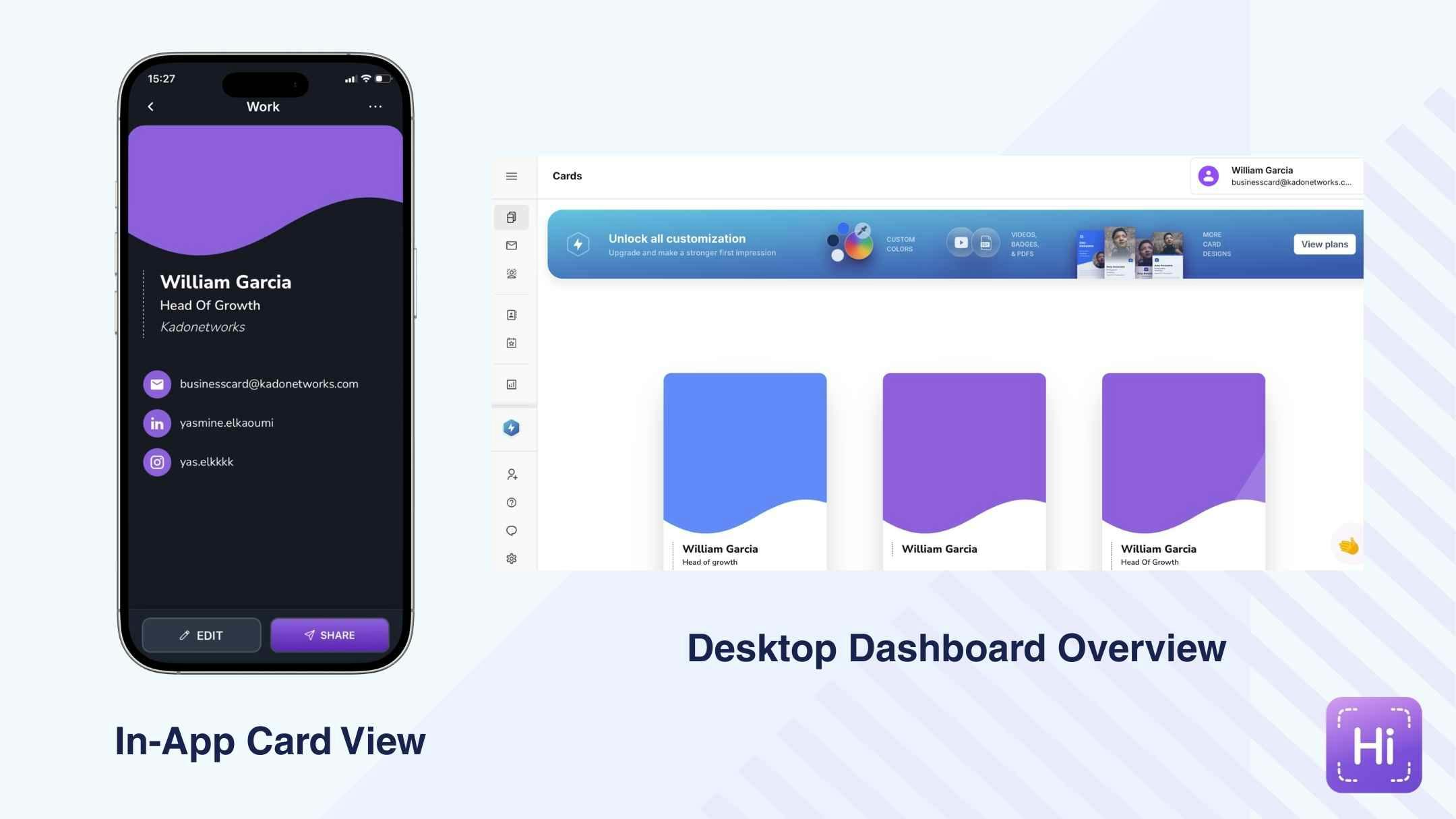
| Puntos fuertes | Limitaciones según los criterios |
|---|---|
✅ Clara separación de roles admin y miembros | ❌ Los análisis avanzados son relativamente básicos |
✅ Bloqueo de plantillas y controles de coherencia de marca | ❌ La visibilidad de las integraciones difiere entre móvil y escritorio |
✅ Integraciones CRM (Salesforce, HubSpot, Dynamics, Zapier) | ❌ La automatización del ciclo de vida de identidades es limitada |
✅ Capacidad multi-tarjeta | ❌ Gobernanza multi-entidad no estructurada en profundidad |
❌ La automatización de workflows y los sistemas de tareas son mínimos |
Resumen de precios
HiHello ofrece funcionalidad de equipo a través de sus planes Team y Enterprise.
- Plan Team: 5 $ / usuario / mes
- Enterprise: Precios personalizados (contactar con el equipo de ventas)
Los planes de equipo desbloquean controles admin, plantillas de marca, integraciones CRM y análisis a nivel de equipo. Los planes Enterprise amplían la gobernanza, la seguridad y las capacidades de gestión centralizada.
Casos de uso más adecuados
HiHello es adecuado para:
- Organizaciones que necesitan un branding estandarizado entre departamentos
- Empresas que priorizan la sincronización CRM y la distribución controlada
- Empresas que buscan una gobernanza moderada sin una integración de infraestructura pesada
Es menos adecuado para empresas que requieren una profunda automatización del ciclo de vida de identidades o una complejidad estructural multi-entidad.
Wave
Visión general
Desde una perspectiva empresarial, Wave ofrece funcionalidad de equipo estructurada, pero la mayoría de las funcionalidades de gobernanza solo se desbloquean a través de sus planes Teams o Enterprise. Los permisos basados en roles están claramente definidos (Propietario, Admin, Manager, Observador, Usuario), lo que permite un control jerárquico entre departamentos. Los admins pueden gestionar plantillas de marca, bloquear campos específicos y supervisar el almacenamiento centralizado de leads.
Wave soporta integraciones CRM como Salesforce, HubSpot, Dynamics 365, Zoho, Pipedrive, Outlook y Google Contacts. Sin embargo, muchas integraciones requieren una actualización y se configuran principalmente a través del dashboard de escritorio.
Aunque Wave proporciona análisis de equipo y almacenamiento centralizado de contactos, la automatización más profunda del ciclo de vida de identidades (como la sincronización HR avanzada) está menos enfatizada. Las estructuras multi-entidad o sub-marca son posibles pero no están fuertemente posicionadas como una capacidad enterprise principal.
En general, Wave equilibra gobernanza y funcionalidad, pero parece más una herramienta de equipo sólida adaptada para empresas que una plataforma construida principalmente para entornos de infraestructura a gran escala.
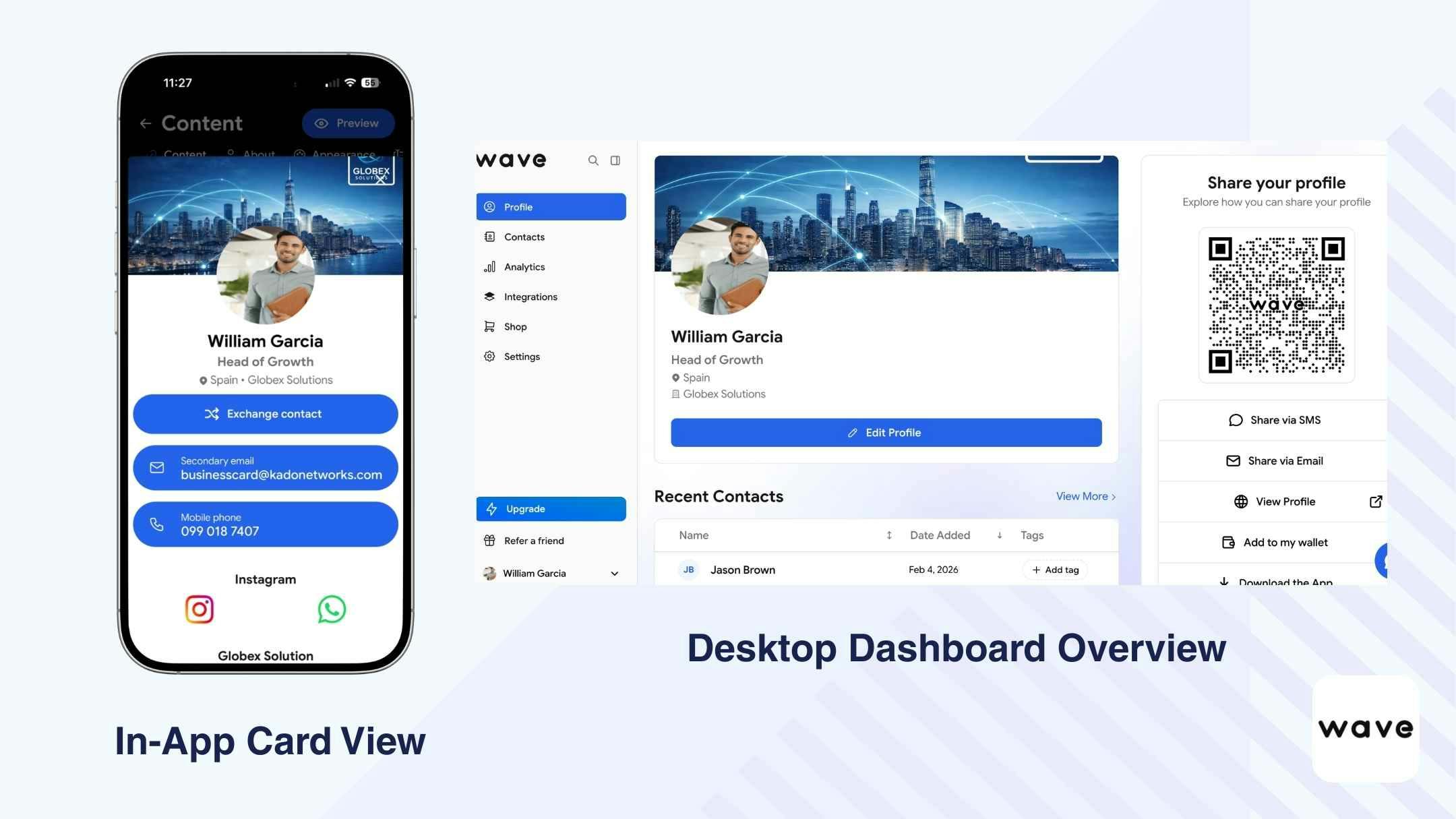
| Puntos fuertes | Limitaciones según los criterios |
|---|---|
✅ Permisos de rol multinivel claros | ❌ Configuración de equipo no visible en el onboarding móvil |
✅ Bloqueo y aplicación de plantillas de marca | ❌ La automatización del ciclo de vida de identidades es limitada |
✅ Almacenamiento centralizado de leads | ❌ Gobernanza multi-entidad no estructurada en profundidad |
✅ Integraciones CRM nativas (Salesforce, HubSpot, Dynamics, etc.) | ❌ Inconsistencias de precisión del escáner observadas |
✅ Capacidad de seguimiento automatizado por email/SMS | ❌ Los análisis avanzados siguen siendo relativamente superficiales |
Resumen de precios
Wave ofrece funcionalidad enterprise bajo tiers de pago:
- Equipos: 5 $ / usuario / mes
- Mínimo de 3 licencias
Los precios enterprise más allá de los planes de equipo requieren contactar con el equipo de ventas para una personalización basada en el tamaño de la organización y los requisitos de integración.
Casos de uso más adecuados
Wave es adecuado para empresas que necesitan:
- Jerarquías de roles claras con aplicación de marca
- Sincronización CRM nativa entre equipos de ventas
- Seguimiento automatizado por email/SMS a escala
- Gobernanza estructurada pero no excesivamente compleja
Puede ser menos adecuado para empresas que requieren una profunda automatización HR, logs de auditoría avanzados o estructuras de gestión multi-entidad muy complejas.
Mobilo
Visión general
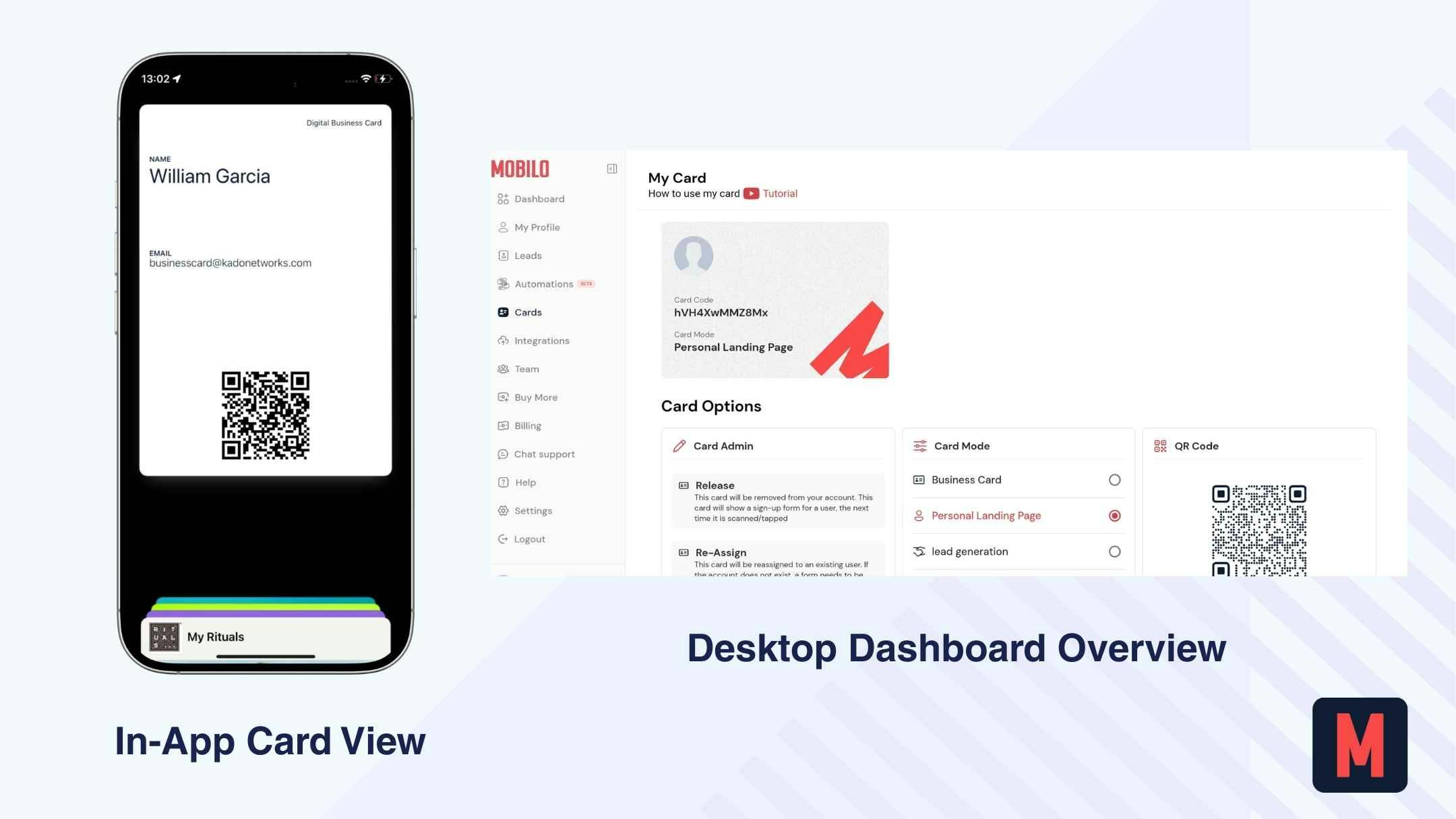
Desde una perspectiva empresarial, Mobilo se posiciona como una solución NFC-first con conectividad CRM superpuesta. El despliegue está estructurado en torno a tarjetas NFC físicas y dashboards de equipo centralizados más que en un workflow digital mobile-first.
Los planes de equipo y enterprise permiten a los admins gestionar usuarios, asignar tarjetas, aplicar estándares de marca y supervisar la recopilación de leads. El control de acceso basado en roles existe, y las integraciones CRM (Salesforce, HubSpot, Microsoft Dynamics) permiten la sincronización de los contactos capturados en los pipelines enterprise. Mobilo también soporta integraciones relacionadas con RRHH y sincronización de directorios según el tier.
Sin embargo, el onboarding requiere la introducción de una tarjeta de crédito por adelantado, y la experiencia de la plataforma puede parecer más lenta y compleja en comparación con las alternativas digital-first. La funcionalidad QR offline es limitada, ya que Mobilo se apoya principalmente en códigos QR dinámicos (online) y activadores NFC.
En general, Mobilo funciona más como un sistema de networking habilitado por hardware con enrutamiento CRM enterprise que como una plataforma de workflow de networking digital completamente integrada.
| Puntos fuertes | Limitaciones según los criterios |
|---|---|
✅ Fuerte integración de hardware NFC | ❌ Sin plan gratuito permanente; tarjeta de crédito requerida por adelantado |
✅ Integraciones CRM nativas (Salesforce, HubSpot, Dynamics) | ❌ Onboarding más lento y rendimiento del sitio web observados |
✅ Gestión de equipo basada en roles | ❌ QR offline no soportado (solo QR dinámico) |
✅ Controles de estandarización de marca | ❌ Automatización de workflows integrada limitada |
✅ Dashboard centralizado para leads del equipo | ❌ Los análisis son agregados en lugar de conductualmente profundos |
Resumen de precios
La funcionalidad enterprise de Mobilo está disponible bajo tiers de pago:
- Equipos (Plan Business): 4 $ / usuario / mes
- Plan Enterprise: 5 $ / usuario / mes
Los planes Enterprise incluyen gobernanza admin, integraciones CRM, controles de marca y gestión centralizada de leads. Los acuerdos personalizados pueden requerir contacto directo con el equipo de ventas.
Casos de uso más adecuados
Mobilo está más indicado para:
- Empresas que distribuyen tarjetas NFC físicas a escala
- Organizaciones de ventas sobre el terreno que priorizan las interacciones activadas por hardware
- Empresas muy dependientes del enrutamiento CRM más que de la automatización de workflows en la app
- Organizaciones que buscan un despliegue NFC estandarizado entre equipos
Es menos adecuado para empresas que priorizan la gobernanza mobile-first, los análisis avanzados o los workflows de activación digital profundamente integrados.
La elección enterprise correcta depende de…
A nivel empresarial, la decisión raramente trata solo de funcionalidades. Depende de vuestra estructura organizativa, madurez IT, exposición al cumplimiento normativo y modelo de crecimiento. A continuación, un framework simplificado para orientar la evaluación:v
| Prioridad empresarial | Capacidades que debéis exigir |
|---|---|
IT-Gobernanza IT-driven | Control de acceso basado en roles, integración SSO / Active Directory, logs de auditoría, visibilidad admin centralizada |
Estructura global multi-entidad | Gestión de sub-marcas, controles regionales, adaptabilidad multilingüe, jerarquía de cuentas escalable |
Empresa sales-driven | Integraciones CRM nativas, enrutamiento automatizado de leads, análisis centralizados, seguimiento de actividades |
Despliegue HR-driven | Onboarding/offboarding automatizado, sincronización de directorios, control centralizado del ciclo de vida de usuarios |
Sector sensible al cumplimiento normativo | Conformidad RGPD, certificación SOC 2, claridad DPA, gestión segura de datos y exportabilidad |
Organización orientada a la sostenibilidad | Despliegue digital-first, reducción medible del papel, soporte para reporting medioambiental |
TLa plataforma enterprise correcta es la que se alinea con la estructura de vuestra organización — no solo con la forma en que vuestros empleados comparten sus datos de contacto.
Antes de seleccionar un proveedor, aclarad si vuestra prioridad es el control de gobernanza, la profundidad de integración CRM, la automatización del ciclo de vida de identidades o la escalabilidad global. Las decisiones enterprise deben reducir la complejidad operativa — no introducirla.
Conclusión: ¿qué herramienta debería elegir vuestro equipo?
Basándonos en nuestra evaluación, nos decantamos por KADO para entornos enterprise — en particular por cómo conecta gobernanza, control de marca, intercambio, captura de leads, integración CRM, análisis y gestión del ciclo de vida de identidades dentro de un único sistema estructurado.
Dicho esto, la decisión correcta depende de las prioridades de vuestra organización.
No existe una única plataforma de tarjetas de visita digitales "mejor" para empresas.
Solo existe la solución que se alinea con vuestro framework IT, requisitos de cumplimiento normativo, modelo operativo y escala.
Algunas empresas pueden necesitar únicamente una distribución estandarizada de tarjetas con una gobernanza ligera. Otras requieren integración SSO, gestión multi-entidad, análisis centralizados, enrutamiento CRM, automatización HR, auditabilidad y garantías de cumplimiento.
La verdadera pregunta no es qué plataforma tiene más funcionalidades — sino cuál se integra de forma limpia en vuestra infraestructura existente y soporta vuestro workflow empresarial completo, desde el despliegue controlado hasta el impacto comercial medible.
Por qué KADO cubre más escenarios enterprise
Cuando se evalúa a través de una lente enterprise — gobernanza, escalabilidad, profundidad de integración, cumplimiento normativo y control del ciclo de vida — muchas plataformas se concentran principalmente en la distribución. KADO está estructurado más como una capa operativa que como una herramienta de intercambio.
Combina el control de acceso basado en roles, los análisis centralizados, la gestión multi-entidad y sub-marca y la arquitectura de cuentas escalable dentro de un único entorno principal. Los sistemas de identidad como SSO y Active Directory pueden integrarse para automatizar el aprovisionamiento y desaprovisionamiento, reduciendo la carga de trabajo manual de los equipos de RRHH e IT.
Desde el punto de vista comercial, KADO conecta la captura bidireccional y el escaneo por IA directamente con los ecosistemas CRM y de correo electrónico, manteniendo al mismo tiempo la propiedad centralizada de los datos y la visibilidad entre departamentos. Los sistemas integrados de notas, etiquetas y tareas permiten a los equipos actuar sobre las relaciones capturadas sin depender completamente de herramientas externas.
La preparación para el cumplimiento normativo (RGPD, SOC 2), la funcionalidad offline, la adaptabilidad multilingüe y el posicionamiento de sostenibilidad digital-first apoyan adicionalmente el despliegue global.
La distinción es estructural: KADO no se detiene en la distribución de tarjetas — integra gobernanza, captura, activación y visibilidad en un único workflow empresarial escalable.
Preguntas Frecuentes
¿Qué deben priorizar las empresas al elegir una plataforma de tarjetas de visita digitales?
Las empresas deben priorizar la gobernanza, la integración y la gestión de riesgos por encima del diseño. Los factores clave incluyen el control de acceso basado en roles, la integración SSO o Active Directory, los análisis centralizados, la profundidad del enrutamiento CRM, la gestión multi-entidad, las certificaciones de cumplimiento (RGPD, SOC 2) y el control escalable del ciclo de vida de usuarios.
¿Se integran las plataformas de tarjetas de visita digitales con Active Directory o SSO?
Algunas plataformas de nivel enterprise soportan SSO y sincronización de directorios (p. ej., Azure AD, Okta). Esto permite el onboarding y offboarding automatizados, reduciendo los procesos IT manuales y minimizando los riesgos de acceso.
¿Pueden las empresas gestionar múltiples marcas o filiales bajo una única cuenta?
Ciertas plataformas (como KADO) soportan la gestión multi-entidad o sub-marca, permitiendo una supervisión centralizada mientras se mantienen los controles específicos de región o marca. Esto es fundamental para las organizaciones globales o las estructuras de franquicia.
¿Qué importancia tiene la integración CRM a nivel enterprise?
La integración CRM es esencial para las empresas sales-driven. Buscad integraciones nativas con Salesforce, HubSpot, Dynamics o sistemas similares, incluyendo enrutamiento de leads y visibilidad centralizada. Una sincronización superficial puede no ser suficiente.